
auxi
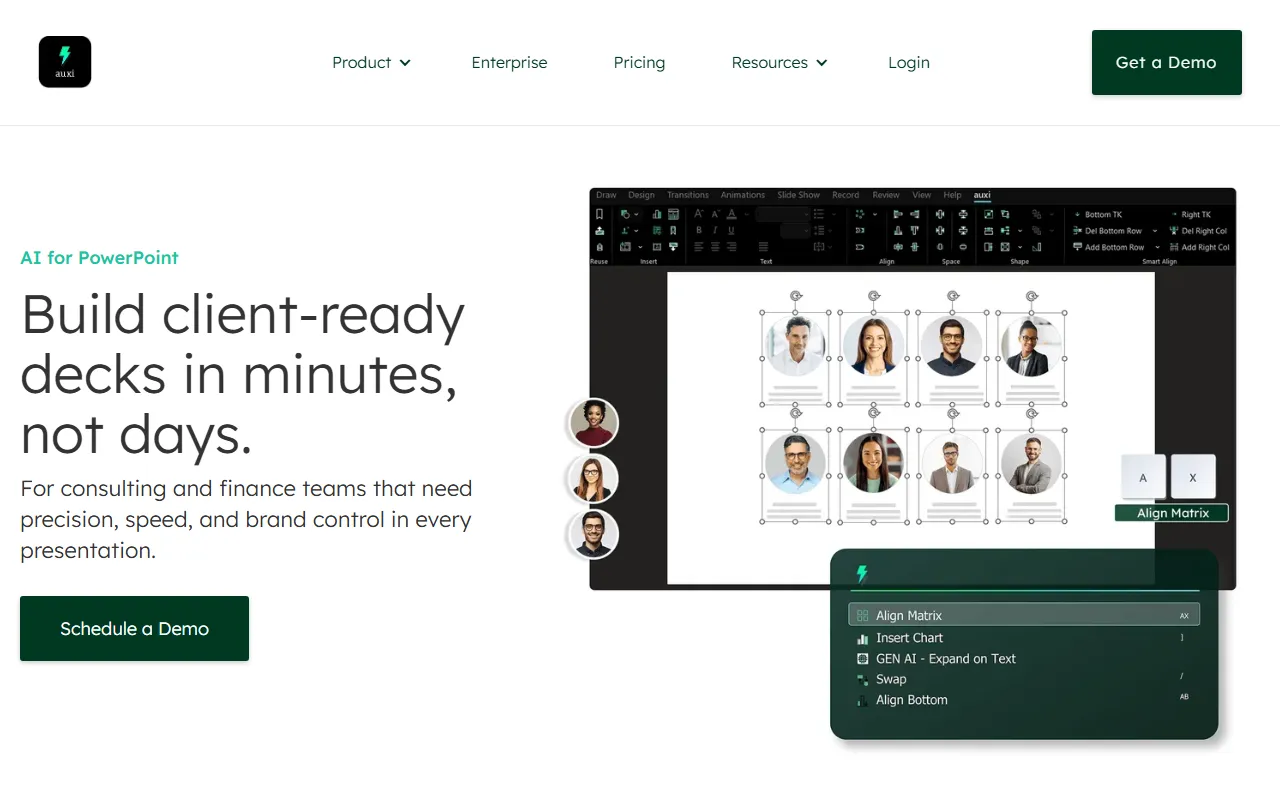
Businessauxi is a powerful AI add-in for Microsoft PowerPoint that lets you modify and edit PPTs by entering text. For example, you can input commands to increase spacing, save the PPT, align elements, add text boxes, and more. Simply press Ctrl+Space to enter the input box and type the corresponding commands to operate and edit your PPT.
About
Overview
auxi is an AI productivity add-in for Microsoft PowerPoint, focused on improving the efficiency of presentation design, layout, formatting organization, and slide creation. Users can call up the input bar via a keyboard shortcut and directly use natural language to perform common PPT editing actions, such as aligning elements, adjusting spacing, adding text boxes, or saving files, thereby reducing the time spent repeatedly searching for commands in the ribbon.
According to the official website, auxi is more oriented toward teams with high requirements for accuracy, speed, and brand consistency, such as consulting, finance, investment banking, and corporate reporting scenarios. In addition to basic editing capabilities, it also provides brand guideline handling, full-deck translation, and AI-based content optimization and design suggestions, helping users create more professional presentations faster.
Main Features
-
Natural language control of PowerPoint
- Call up the command bar through keyboard shortcuts (such as
Ctrl + Space) - Enter text commands to perform editing actions
- Supports common operations such as alignment, distribution, resizing, adding text boxes, and saving
- Call up the command bar through keyboard shortcuts (such as
-
Smart Bar intelligent quick-access entry
- Quickly search PowerPoint features
- Supports personalized shortcuts
- Provides predictive recommendations based on user habits to reduce repetitive actions
-
AI design and layout suggestions
- Provides slide design suggestions during editing
- Users can choose recommended layouts and automatically fill content into the corresponding layout
- Suitable for quickly organizing content structure and improving page appearance
-
Unified brand standards
- Helps presentations comply with brand standards more quickly
- Suitable for enterprise scenarios that require unified fonts, styles, and overall visual standards
-
Full-deck presentation translation
- Supports translating an entire deck into 50+ languages
- The official website also mentions support for handling some "language flip" scenarios
-
Content optimization and personalization
- Supports using generative AI to polish content
- Can be used to improve clarity and professionalism of expression
-
Sketch to slide
- Supports converting hand-drawn PPT sketches into PowerPoint slides
- Suitable for quickly turning initial ideas into formal pages
Product Pricing
At present, the public pages on the official website do not clearly display standard package pricing, and mainly provide enterprise demo entry points such as Get a Demo / Schedule a Demo.
This means auxi may be more oriented toward enterprise purchasing or customized solutions. For specific pricing, licensing methods, and deployment details, it is recommended to refer to official sales or demo information.
FAQ
Who is auxi suitable for?
It is more suitable for teams and individuals who frequently need to create high-quality business presentations, especially in scenarios such as consulting, finance, investment banking, corporate strategy, and sales reporting.
Is auxi standalone software or a PowerPoint add-in?
Based on the official website and existing descriptions, auxi is mainly used as an AI add-in/productivity tool for PowerPoint, rather than as standalone presentation software.
What common PPT operations can auxi perform?
It can complete operations such as alignment, spacing adjustment, distribution, size modification, adding text boxes, and saving through text commands, and it also provides design suggestions and content optimization capabilities.
Does auxi support multilingual translation?
Yes. The official website shows that it can translate an entire presentation into more than 50 languages.
Is auxi suitable for enterprises to unify brand templates?
Yes. One of its core selling points is helping teams achieve brand consistency and standardized layouts with fewer actions.
Related Tools
View allQatalog is a work operating system for team collaboration, used to centrally manage people, processes, and knowledge, helping organizations advance projects and operations in a unified space.
PolyAI is a company that provides enterprise-grade voice assistant solutions, focusing on handling customer calls through natural conversational AI to help businesses improve phone service efficiency and automation.
Procys is a data extraction tool for invoice and bill processing that uses machine learning to automatically identify and extract key information, reducing manual entry and organization work.
ProposalGenie is an AI proposal generation tool for freelancers that can quickly write customized proposals for job platforms such as Upwork, helping save time on repetitive writing.
Instantly is a project that helps you reply to emails faster and increase revenue. Through unlimited email sending accounts, unlimited warmup time, and smart AI, you can easily scale your marketing campaigns. No matter what you are doing, Instantly can help you complete tasks more efficiently, making your work more productive and your returns greater.
One AI is a language AI capability platform that supports integrating text, audio, and video processing capabilities into products, and can be used for analysis, transcription, summarization, and building customized language processing functions.