
Humata AI
Writing & TextHumata AI is an AI tool for document analysis that supports uploading PDFs and asking questions about file content, making it suitable for quickly understanding technical documents, legal files, and generating report highlights.
About
Overview
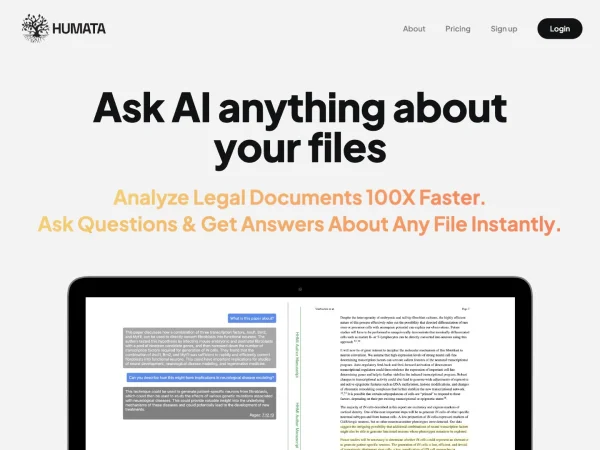
Humata AI is an AI tool for document understanding and knowledge retrieval. Its core capability is turning uploaded documents, especially PDFs, into an interactive knowledge base. Users can ask questions directly about file content and quickly get answers, summaries, key point extraction, and citation support, making it suitable for handling long documents such as technical materials, research papers, legal files, business reports, and more.
Compared with the traditional page-by-page reading approach, Humata AI is better suited for scenarios that require frequent reference to materials, extracting key points, and generating analytical content. For researchers, students, legal professionals, consultants, and enterprise teams, it can help shorten the time spent on information retrieval and organization, and improve document analysis efficiency.
Key Features
-
Document Q&A
- After uploading documents, users can ask questions directly about the content and quickly obtain answers related to the original text.
- Supports asking questions across files, making it easier to find information among multiple materials.
-
Intelligent PDF Analysis
- Provides reading assistance for long PDF documents and can be used to understand technical papers, specification documents, contracts, and reports.
- Helps users skip repetitive reading and focus on core information.
-
Summaries and Key Point Extraction
- Can generate summaries for documents and extract key conclusions and important content.
- Suitable for report organization, meeting preparation, paper reading, and knowledge review.
-
Document Comparison and Retrieval
- Supports comparing information across different documents to help identify differences and connections.
- Can search for answers in a material library to improve the efficiency of using reference materials.
-
Citation Traceability
- Provides citation information in answers, making it easier to trace answer sources and improve result verifiability.
- This is particularly useful in scenarios such as legal, research, and compliance where supporting evidence matters.
-
Team and Permission Management
- Provides team-oriented file sharing and access control capabilities.
- Supports managing document access permissions in a controlled environment, making it suitable for enterprise collaboration.
-
Web Embedding
- The official page shows support for embedding its document Q&A capability into webpages, for providing customers or teams with a document-based self-service Q&A entry point.
Product Pricing
The official website provides a Pricing page entry and supports a free trial, but the currently captured content does not show specific plan prices and quota details. It is recommended to visit the official pricing page for the latest information, including:
- Whether a free version is available
- Limits on the number of file uploads
- Whether team collaboration and permission features are part of advanced plans
- Enterprise security and private deployment options
Frequently Asked Questions
Who is Humata AI suitable for?
It is suitable for people who need to frequently read and organize documents, such as researchers, students, legal professionals, consultants, product managers, and enterprise knowledge management teams.
What types of documents does it mainly support?
Based on the official website information and product positioning, Humata AI particularly emphasizes its analysis and Q&A capabilities for PDFs, and it is also suitable for handling various uploaded documents to form a knowledge base.
Can the answers be traced back to their sources?
Yes. The official website mentions that its answers include citation information, and users can view the corresponding source document location for an answer in order to verify the content.
Does it support team use?
Yes. Humata AI provides team file sharing, access control, and enterprise-grade security capabilities, making it suitable for multi-person collaboration scenarios.
Related Tools
View allJunia.AI is an AI content creation tool that supports article and image generation, offering bulk writing, multi-purpose templates, article editing, and export features, making it suitable for daily content production and organization.
This is an AI writing and detection tool with features such as link building and content editing.
SlidesAI is an AI-based text-to-presentation tool that can automatically extract key points from input text, generate an outline, and organize slide content, helping users create presentations faster. It currently works with Google Slides.
MidJourney Prompt Helper is an open-source prompt assistance tool that helps users understand and combine MidJourney prompts through a visual approach, making it easier to explore different styles and more complex image generation instructions.
Octie.ai is an AI tool for everyday business writing, mainly used to quickly generate text content such as emails and product descriptions, helping users reduce repetitive writing work and improve writing efficiency.
PlotPrompts is an AI writing inspiration tool for novel creation, mainly providing suggestions for plots, character settings, and story structure to help authors quickly obtain story ideas that can be further developed.