
Magic Form
EducationMagic Form is a tool that can automatically generate quizzes in Google Forms. Users only need to enter or paste text to quickly generate multiple-choice or true/false questions, reducing manual question-writing work.
About
Overview
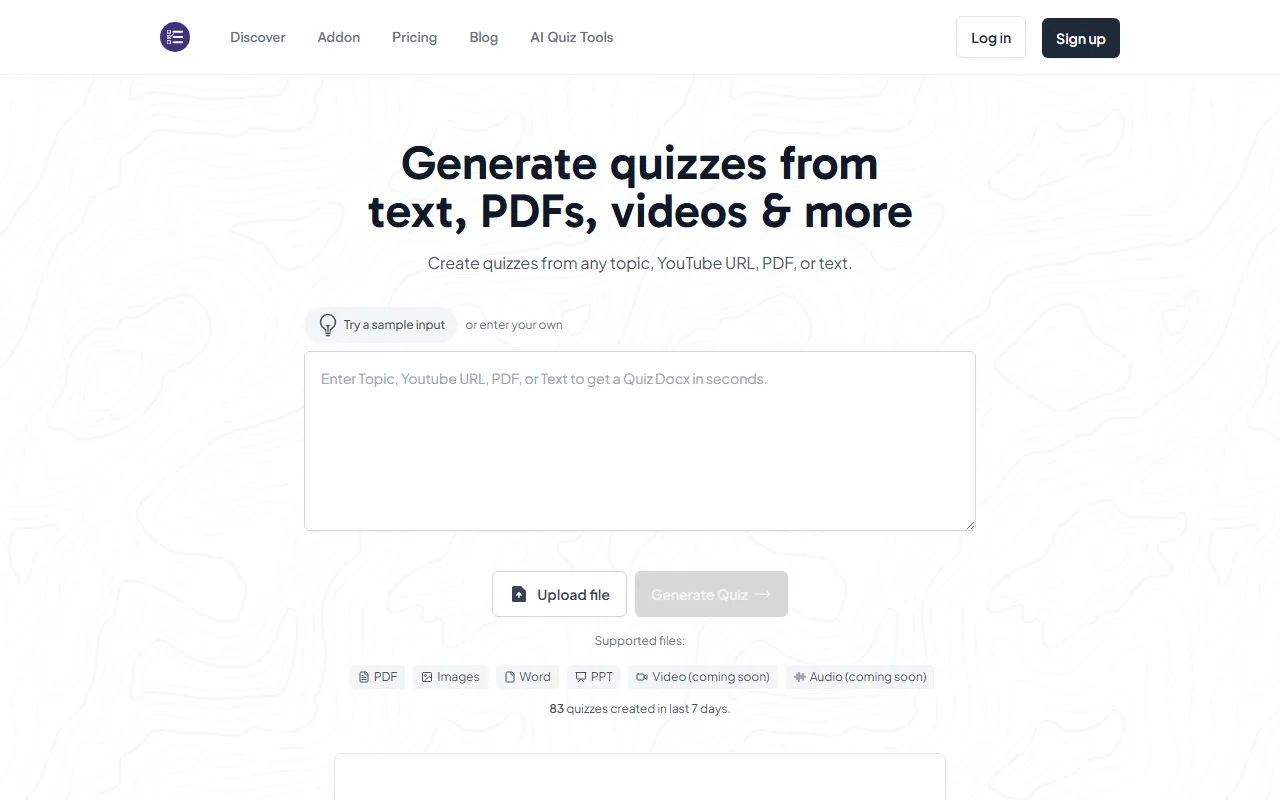
Magic Form is an AI question-generation tool for education and learning scenarios, mainly used as a Google Forms add-on. Users can quickly generate quiz questions based on text, topics, webpage links, YouTube video links, as well as content such as PDFs, Docx files, and images. It is suitable for lesson preparation by teachers, self-testing by students, classroom quizzes, and training assessment scenarios.
Compared with manually organizing questions and entering answers, Magic Form places more emphasis on "generating quizzes directly from existing content." Users only need to provide source material and set the number of questions, and they can generate quiz content for Google Forms within seconds, improving question-generation efficiency.
Key Features
-
Generate quizzes from various types of content
- Supports generating quizzes from text
- Supports directly generating questions based on topics
- Supports generating quizzes through YouTube video links
- Supports uploading PDF and Docx files to generate quizzes
- Supports generating quizzes through webpage URLs
- Supports uploading images to generate quizzes
-
Fits Google Forms workflows
- Installed as an add-on from Google Workspace Marketplace
- Can be used directly with Google Forms, reducing manual copying and organizing steps
-
Automatically generates common question types
- Can generate multiple-choice questions
- Can generate true/false questions
- Suitable for common teaching tasks such as knowledge checks, classroom quizzes, and homework practice
-
Supports multilingual use
- The official page shows support for 100+ languages
- Relatively friendly for multilingual teaching or cross-language learning scenarios
-
Suitable for individuals and organizations
- Applicable to teachers, students, and professional trainers
- The official site mentions organizational plans for schools and businesses, which can be used for management needs such as administrators viewing usage
Pricing
According to publicly available information on the official website, Magic Form offers free and paid plans:
-
Free plan
- Price: $0/month
- Includes:
- 30 quiz questions per month
- 12,000 characters of input quota
- Up to 7 questions per quiz
- Supports converting URL, YouTube, and PDF into quizzes
- Access to quiz history
- Supports 100+ languages
-
Essential paid plan
- Price: $6.7/month ($80/year when billed annually)
- Suitable for students and light users
- The screenshot on the official website shows it as an advanced plan for everyday use. For more detailed quotas, refer to the latest page on the official website
Frequently Asked Questions
-
Who is Magic Form suitable for?
It is suitable for teachers, students, training instructors, and people who need to quickly create knowledge quizzes. -
Is a credit card required to get started?
The official website shows that you can start for free, and no credit card is required. -
What content can quizzes be generated from?
It currently supports text, topics, YouTube links, PDF, Docx, webpage URLs, and images. The official website also mentions that video and audio capabilities are coming soon. -
Can it only be used for education scenarios?
No. In addition to classroom teaching, it can also be used for corporate training, knowledge checks, and assessment scenarios. -
Does it support multiple languages such as Chinese?
The official website shows support for 100+ languages, which can usually cover multilingual usage needs including Chinese.
Related Tools
View allPraxy AI is an AI learning assistant for students that combines a browser extension with virtual lab resources to help improve study efficiency and support understanding of scientific knowledge.
PaperList is a website for sharing and reading research papers. Users can register and log in to use the site, making it convenient to read and share research papers.
Nolej is an AI learning content generation tool that can automatically turn uploaded learning materials into interactive formats such as summaries, flashcards, and quizzes, helping users transform passive reading into a more active learning process.
This is a tool that provides movie and book recommendations.
Praktika ai is an immersive English learning app that helps users improve their English expression more naturally through language practice by conversing with AI virtual characters.
MyShell is an AI chat and character conversation tool that supports logging in and using it in multiple ways, making it suitable for communicating with different AI characters and experiencing conversational interaction.