
Nuro.video
Audio & VideoNuro.video is an AI video editing tool that can automatically transcribe, analyze, and organize long raw video footage into finished videos with titles, transitions, and animations.
About
Overview
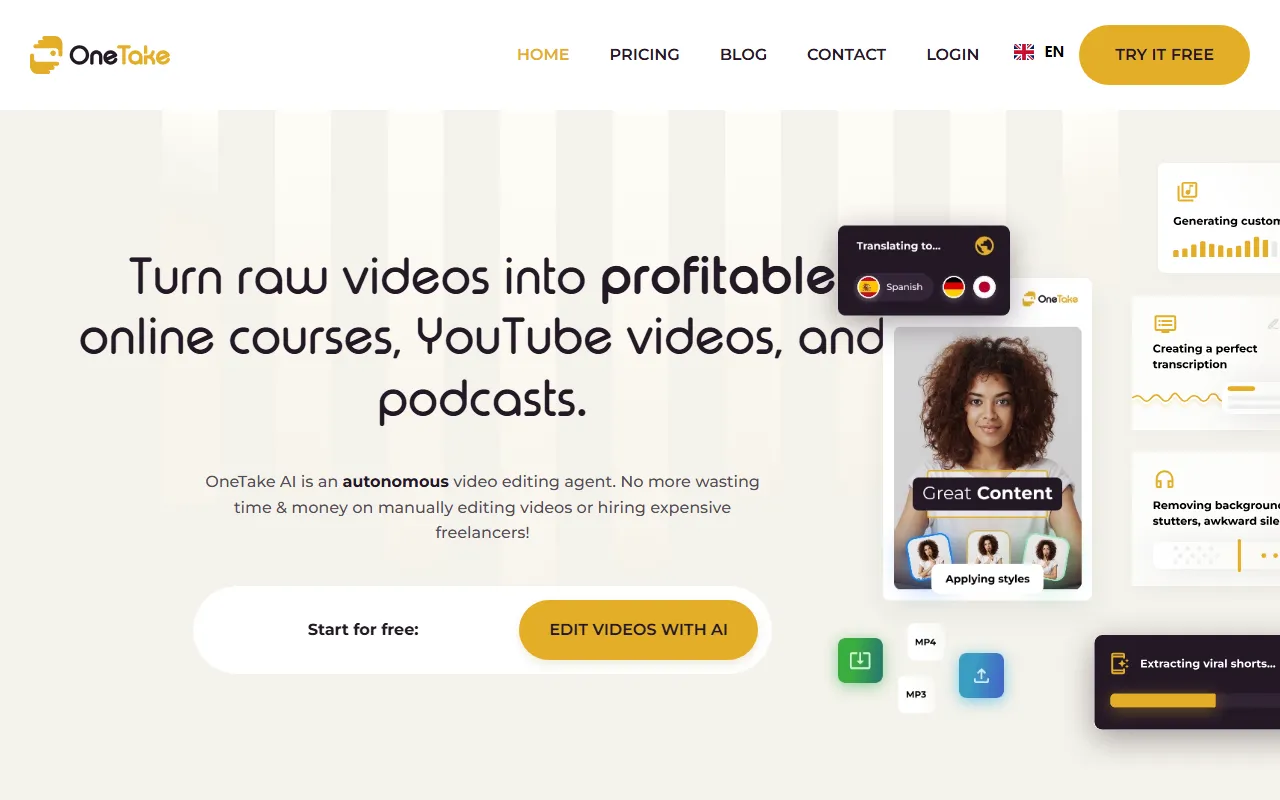
Nuro.video is an AI audio and video editing tool for video content creators. According to the latest information on its official website, the product is offered in the form of OneTake AI, and its core capability is to automatically process unedited raw video or audio into more complete, publishable content, such as professional presentation videos, online courses, YouTube content, or podcasts.
It is suitable for users who need to quickly produce finished videos from long-form footage, especially for scenarios such as knowledge sharing, course recording, and explanatory videos. After users upload or record raw material, the system automatically completes transcription, analysis, and editing, and also supports previewing and making further adjustments before export, thereby reducing cumbersome post-production work.
Key Features
-
AI automatic editing of raw footage
- After uploading unedited video or audio, the system can automatically generate a more complete finished video.
- It can be used to create online courses, presentation videos, social media content, and podcasts.
-
Automatic transcription and content organization
- It transcribes and analyzes the material, helping organize long-form content into structured video results.
- Compared with manual segment-by-segment editing, it is more suitable for improving long-video processing efficiency.
-
Support for multiple material sources
- Video or audio can be recorded directly on the platform.
- It also supports importing material from a computer, as well as files from sources such as YouTube, Zoom recordings, and Dropbox.
-
AI agent-style revision feedback
- After the result is automatically generated, users can have the AI continue adjusting the content, just like giving feedback to a “video editor.”
-
Style customization
- The AI's processing results can be previewed before publishing.
- It supports further adjustments to video style, color schemes, and other visual presentation elements.
-
Multilingual processing capabilities
- The official website mentions support for translation, dubbing, and lip-sync processing, making it easier to produce multilingual versions of videos.
-
Sharing and export
- Videos can be shared or embedded through OneTake Player.
- Downloading exported finished content is also supported.
Pricing
No clear pricing information was found in the currently captured content. The official website shows support for getting started for free, but for specific feature limits, subscription plans, and pricing standards, it is recommended to refer to the latest explanation on the official page.
FAQ
Who is Nuro.video suitable for?
It is suitable for content creators who want to reduce post-editing time, such as online course instructors, knowledge bloggers, YouTube creators, podcast producers, and teams that need to quickly organize long-form material into finished videos.
What input methods does it support?
According to the official website, users can record video or audio directly, and can also import material from sources such as a local computer, YouTube, Zoom recording files, and Dropbox.
Can it only process video?
No. The official website states that it supports both video and audio content, so it can also be used for audio scenarios such as podcasts.
Does it support multilingual content production?
Yes. The official website mentions translation, dubbing, and lip-sync, making it suitable for publishing content for multilingual audiences.
Can I continue editing after the AI automatically edits the content?
Yes. Users can further provide revision feedback after previewing, and adjust settings such as video style or color.
Related Tools
View allWondershare Filmora 2023 is a domestic video editing software that is easy to use and feature-rich, supporting one-click import of SRT subtitles, with a simple and stylish interface, flexible timeline editing functions, and abundant resource effects.
MyVocal.ai is a tool that provides voice synchronization and voice cloning features. Users can synchronize their own voice with popular music and complete voice cloning in a relatively short time.
Pod Genie is an AI podcast tool that can convert RSS feeds into personalized podcast content, and provides customized news broadcasts, newsletters, and summary services, making it convenient for users to access audio information based on their interests.
Lovo is an AI voice generation and text-to-speech tool that supports converting text into natural speech, suitable for audio content production, voiceover, and various creative scenarios, helping reduce manual recording costs and time investment.
YouWhisper is a community Hugging Face Space for audio and video transcription, using Whisper-style speech-to-text workflows to create transcripts.
Mubert is an AI music generation tool that provides royalty-free tracks for content creators and app developers, and can generate music by style, mood, use case, and duration.