
QuillBot
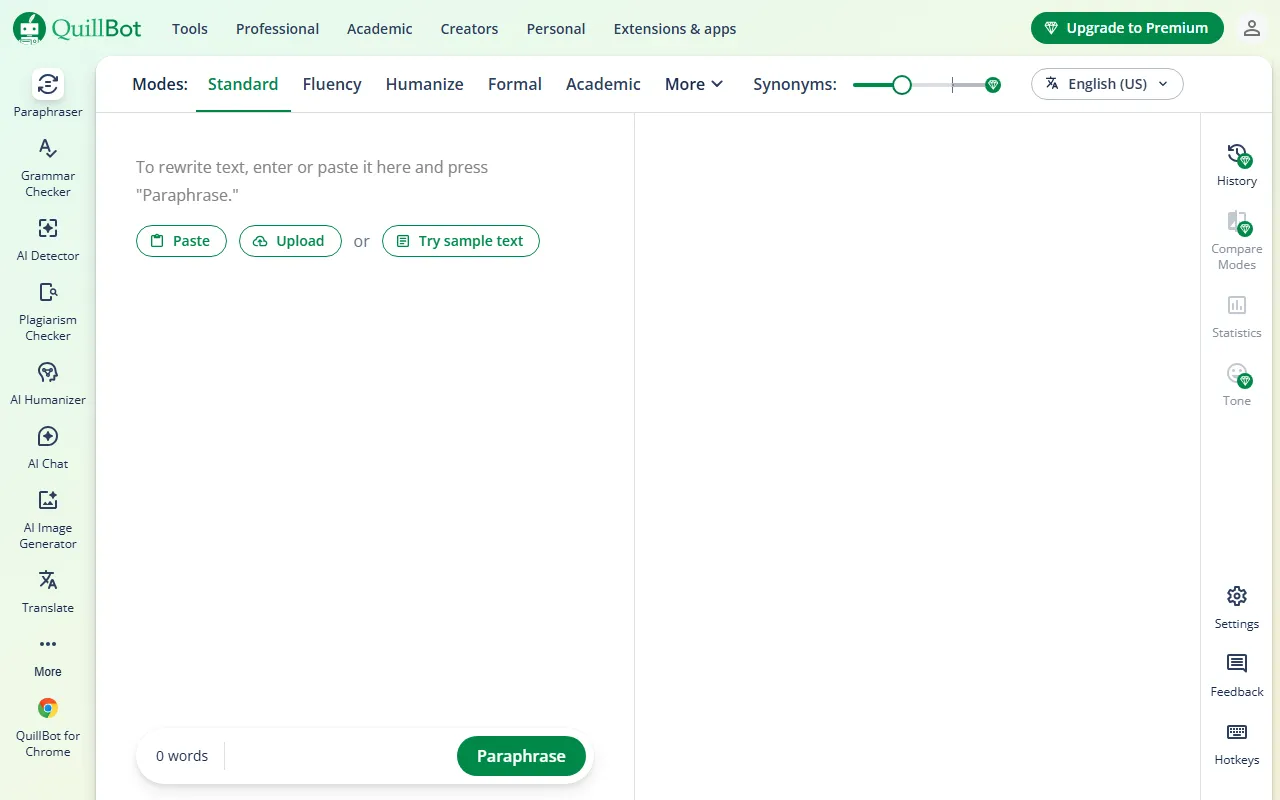
Writing & TextQuillBot is a powerful AI writing assistant that helps users improve writing efficiency and quality through multiple features. Its core feature is text paraphrasing, offering various modes such as standard, fluency, and formal to quickly adjust wording, avoid plagiarism, and increase text diversity. It also includes grammar checking to accurately identify and correct grammar, spelling, and punctuation errors, improving text accuracy.
About
Overview
QuillBot is an AI writing and text processing tool for students, researchers, working professionals, and content creators, with its core capability being text paraphrasing. It helps users rewrite sentences, adjust tone, and improve clarity of expression while preserving the original meaning, making it suitable for scenarios such as paper polishing, email optimization, and content rewriting.
In addition to paraphrasing, QuillBot also provides tools such as grammar checking, summarization, citation generation, translation, and plagiarism detection, covering a complete workflow from writing and revision to academic formatting. According to information on the official website, QuillBot also supports multiple preset paraphrasing modes and can be used across different apps and websites, making it suitable for frequent daily writing needs.
Key Features
-
Text Paraphrasing
- Offers multiple paraphrasing modes, such as Standard, Fluency, Formal, Academic, Humanize, and more
- Can adjust wording, sentence structure, and tone to improve readability and diversity of expression
-
Grammar Checking
- Detects and corrects common errors in grammar, spelling, punctuation, and more
- Suitable for English writing proofreading and polishing
-
Summarization
- Extracts key information from long texts
- Suitable for quickly organizing the main points of articles, papers, or reports
-
Citation Generation
- Supports common citation formats such as APA, MLA, and Chicago
- Practical for academic writing and paper organization
-
Translation
- Supports multilingual text translation
- Can be used for cross-language writing assistance and content understanding
-
Plagiarism Detection
- Used to identify potentially duplicated or similar content in text
- Suitable for originality checking in scenarios such as papers and self-media content
-
Other Tools
- Information gathered from the official website shows that it also provides modules such as AI Detector, AI Humanizer, AI Chat, and AI Image Generator
Pricing
QuillBot offers a free version and a Premium paid version.
From the official website, it can be confirmed that its basic paraphrasing tool can be used directly, and the page shows that some features support a no-login trial; at the same time, it also provides a Premium upgrade entry.
Generally speaking:
- Free version: Lets users try basic paraphrasing, grammar checking, and some other capabilities
- Paid version: Usually provides more paraphrasing modes, higher word limits, and access to advanced features
Specific prices and plans may vary by region or promotion, so it is recommended to refer to the latest page on the official website.
Frequently Asked Questions
Who is QuillBot suitable for?
It is suitable for students, teachers, researchers, office workers, English writers, and content creators who need to quickly polish text.
What is QuillBot's core advantage?
Its core advantages are strong paraphrasing capability, a low learning curve, and a complete toolchain. It can not only rewrite text, but also handle proofreading, summarization, citation, and translation tasks.
Can QuillBot be used for academic writing?
Yes. It supports Academic mode, grammar checking, summarization, and citation generation, making it suitable for polishing early drafts of papers and organizing formatting. However, before formal submission, it is still recommended to manually review content accuracy and citation compliance.
Does QuillBot support browser extensions or other integrations?
Information on the official website shows that it provides a Chrome extension and supports a Word add-in, making it convenient to call directly within commonly used writing environments.
Related Tools
View allJunia.AI is an AI content creation tool that supports article and image generation, offering bulk writing, multi-purpose templates, article editing, and export features, making it suitable for daily content production and organization.
This is an AI writing and detection tool with features such as link building and content editing.
SlidesAI is an AI-based text-to-presentation tool that can automatically extract key points from input text, generate an outline, and organize slide content, helping users create presentations faster. It currently works with Google Slides.
MidJourney Prompt Helper is an open-source prompt assistance tool that helps users understand and combine MidJourney prompts through a visual approach, making it easier to explore different styles and more complex image generation instructions.
Octie.ai is an AI tool for everyday business writing, mainly used to quickly generate text content such as emails and product descriptions, helping users reduce repetitive writing work and improve writing efficiency.
PlotPrompts is an AI writing inspiration tool for novel creation, mainly providing suggestions for plots, character settings, and story structure to help authors quickly obtain story ideas that can be further developed.