
SpeechEasy
Audio & VideoSpeechEasy provides high-quality text-to-speech services
About
Overview
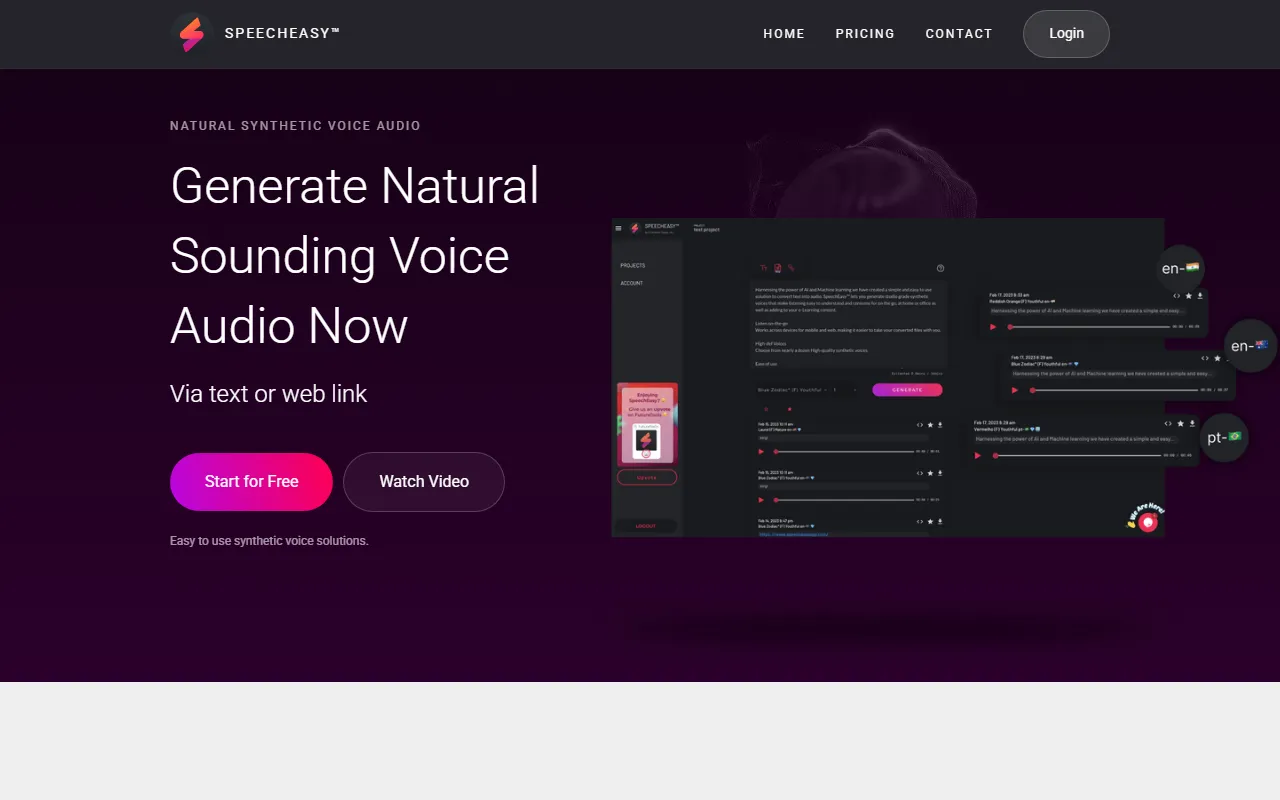
SpeechEasy is a text-to-speech tool designed for AI audio and video scenarios, with a focus on generating synthetic speech that is “high-quality and easy to hear clearly.” Users can convert content into natural-sounding voice audio by entering text or directly providing a webpage link, for use in everyday listening, office, home settings, and e-Learning content production.
Based on the information on its official website, SpeechEasy emphasizes using AI and machine learning to generate synthetic voices close to studio-level recordings, and provides cross-platform support so users can create and listen to audio files on desktop and mobile devices. Overall, the product positioning leans toward simplicity and ease of use, without emphasizing complex editing, but instead focusing on high-quality voice output.
Key Features
-
Text-to-speech generation
- Supports converting input text into audio content, suitable for quickly producing listenable versions of articles, instructions, or scripts.
-
Supports webpage link to speech
- In addition to text input, it can also generate speech through webpage links, making it convenient to turn online content into listenable audio.
-
High-quality synthetic voices
- The official website mentions providing synthetic speech close to studio-level recordings, emphasizing a listening experience that is clear, natural, and easy to understand.
-
Multiple voice options available
- Offers nearly ten high-quality synthetic voices, and indicates that more voice options will continue to be added.
-
Cross-platform use
- Supports creating and listening to audio files on desktop and mobile devices, making it convenient to access generated content at any time.
-
Suitable for various content scenarios
- Can be used for:
- Video voiceovers
- Voiceovers for learning and training content
- Virtual podcast audio
- Audiobooks and article reading
-
Simple interface, easy to get started
- The official website emphasizes simple operation and an intuitive interface, suitable for users who want to complete voice generation quickly.
Product Pricing
The current official website page displays “Start for Free”, indicating that it provides a free trial or a free way to get started.
However, the publicly available captured content does not clearly list specific plan prices, character quotas, export restrictions, or paid version details. If you want to learn about actual costs, voice duration limits, or the scope of commercial licensing, it is recommended to visit the official pricing page or check the account instructions after registering.
Frequently Asked Questions
-
Who is SpeechEasy suitable for?
- It is suitable for individual users, content creators, training content producers, and teams that need to quickly convert text into speech or add voiceovers to articles, courses, or videos.
-
Does it support mobile use?
- The official website mentions support for desktop and mobile devices, allowing users to create and listen to audio on different devices.
-
What types of content can it be used for?
- Currently visible typical scenarios include marketing video voiceovers, learning content voiceovers, article reading, and audiobook content production.
-
Does it have many advanced editing features?
- Based on the official website introduction, SpeechEasy is more of a “simple and easy-to-use” text-to-speech tool and does not highlight complex post-editing features.
-
Must it be used with an internet connection?
- The official website summary mentions that an internet connection is required when listening across devices, so some usage scenarios may depend on a connected environment.
Related Tools
View allWondershare Filmora 2023 is a domestic video editing software that is easy to use and feature-rich, supporting one-click import of SRT subtitles, with a simple and stylish interface, flexible timeline editing functions, and abundant resource effects.
MyVocal.ai is a tool that provides voice synchronization and voice cloning features. Users can synchronize their own voice with popular music and complete voice cloning in a relatively short time.
Pod Genie is an AI podcast tool that can convert RSS feeds into personalized podcast content, and provides customized news broadcasts, newsletters, and summary services, making it convenient for users to access audio information based on their interests.
Lovo is an AI voice generation and text-to-speech tool that supports converting text into natural speech, suitable for audio content production, voiceover, and various creative scenarios, helping reduce manual recording costs and time investment.
YouWhisper is a community Hugging Face Space for audio and video transcription, using Whisper-style speech-to-text workflows to create transcripts.
Mubert is an AI music generation tool that provides royalty-free tracks for content creators and app developers, and can generate music by style, mood, use case, and duration.