
Teach Anything Sites
EducationTeach Anything is a simple AI Q&A tool. After entering a question, users can get answers by language and difficulty level, making it suitable for quickly learning new topics or looking up basic knowledge.
About
Overview
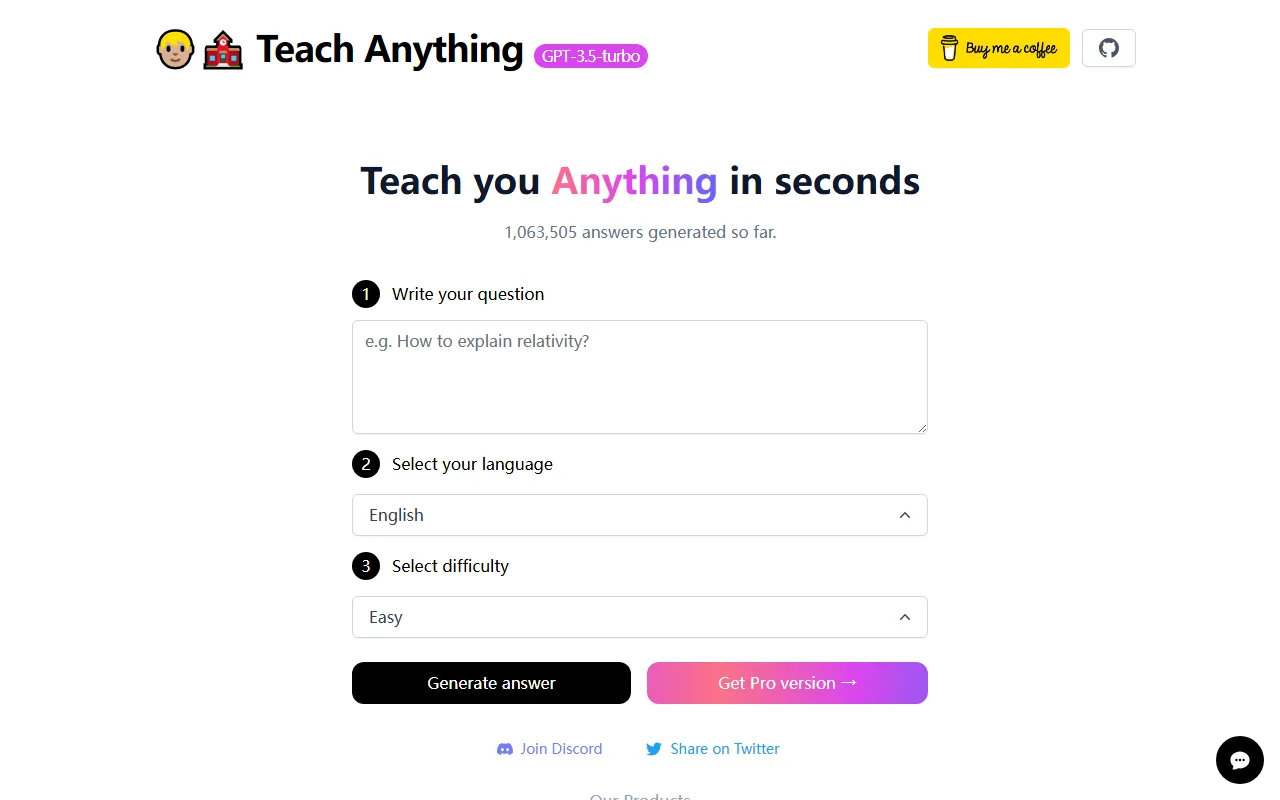
Teach Anything is an AI Q&A tool designed for fast learning scenarios, focused on a lightweight experience of "getting answers in seconds." Users only need to enter a question and select the answer language and difficulty level to generate corresponding content. According to information on the official website, the product has generated more than 1,063,505 answers in total, making it suitable for daily knowledge lookup, getting started with unfamiliar concepts, and learning basic topics.
Unlike learning tools that emphasize complex workflows, Teach Anything's core advantage lies in its simple operation and direct feedback. For students, general learners, or people who want to quickly understand a topic, it can help users obtain relatively clear and readable answers in a short time. Especially when content expression needs to be adjusted according to the user's level of understanding, the difficulty selection interaction is more practical.
Main Features
-
AI Q&A generation
- Enter any question you want to understand, and the system will generate a corresponding answer based on AI, suitable for quickly obtaining basic information.
-
Supports language selection
- Users can choose the answer language after asking a question. The official website page shows support for English, indicating that the product can generate answers by language.
-
Supports difficulty selection
- You can choose the content difficulty according to your own level of understanding. For example, the Easy option shown on the page makes it easier for beginners to read and understand.
-
Lightweight learning experience
- No complex setup is required. The overall process is clear: enter a question → choose a language → choose a difficulty level → generate an answer, making it suitable for fragmented learning and instant lookup.
-
Suitable for introductory and basic knowledge retrieval
- It is more suitable for scenarios such as gaining an initial understanding of new topics, explaining basic concepts, and learning common questions, and does not emphasize in-depth research-oriented features.
Product Pricing
Based on currently available information, Teach Anything offers free use, and users can directly enter questions online and generate answers.
In addition, the official website page includes a "Get Pro version" entry, indicating that the product may offer a professional version or paid plan. However, the currently publicly captured content does not show specific pricing, benefit differences, or subscription details. Actual paid information should be subject to the latest page on the official website.
Frequently Asked Questions
Who is Teach Anything suitable for?
It is suitable for students, general users, beginners, and people who want to quickly understand an unfamiliar concept or topic.
What is its core usage flow?
The main process is: enter a question → choose a language → choose a difficulty level → generate an answer. Overall, the barrier to getting started is low.
Is it suitable for systematic in-depth learning?
Based on currently public information, it is more oriented toward fast Q&A and introductory learning. It is suitable for obtaining information in a short time and is not a learning platform that emphasizes a course system or long-term training paths.
Is it free?
Current information shows that it can be used for free; at the same time, the official website also provides a Pro version entry, but the specific payment rules are not publicly displayed.
Related Tools
View allPraxy AI is an AI learning assistant for students that combines a browser extension with virtual lab resources to help improve study efficiency and support understanding of scientific knowledge.
PaperList is a website for sharing and reading research papers. Users can register and log in to use the site, making it convenient to read and share research papers.
Nolej is an AI learning content generation tool that can automatically turn uploaded learning materials into interactive formats such as summaries, flashcards, and quizzes, helping users transform passive reading into a more active learning process.
This is a tool that provides movie and book recommendations.
Praktika ai is an immersive English learning app that helps users improve their English expression more naturally through language practice by conversing with AI virtual characters.
MyShell is an AI chat and character conversation tool that supports logging in and using it in multiple ways, making it suitable for communicating with different AI characters and experiencing conversational interaction.