
About
Overview
Voicemaker is an AI text-to-speech tool for multiple scenarios, supporting the conversion of input text into natural and smooth speech audio. According to information on the official website, the platform offers 1000+ AI voices, covers 130 languages and regions, and can export in MP3 and WAV formats, making it suitable for scenarios such as short video dubbing, presentations, audio content production, teaching materials, IVR voice, and chatbots.
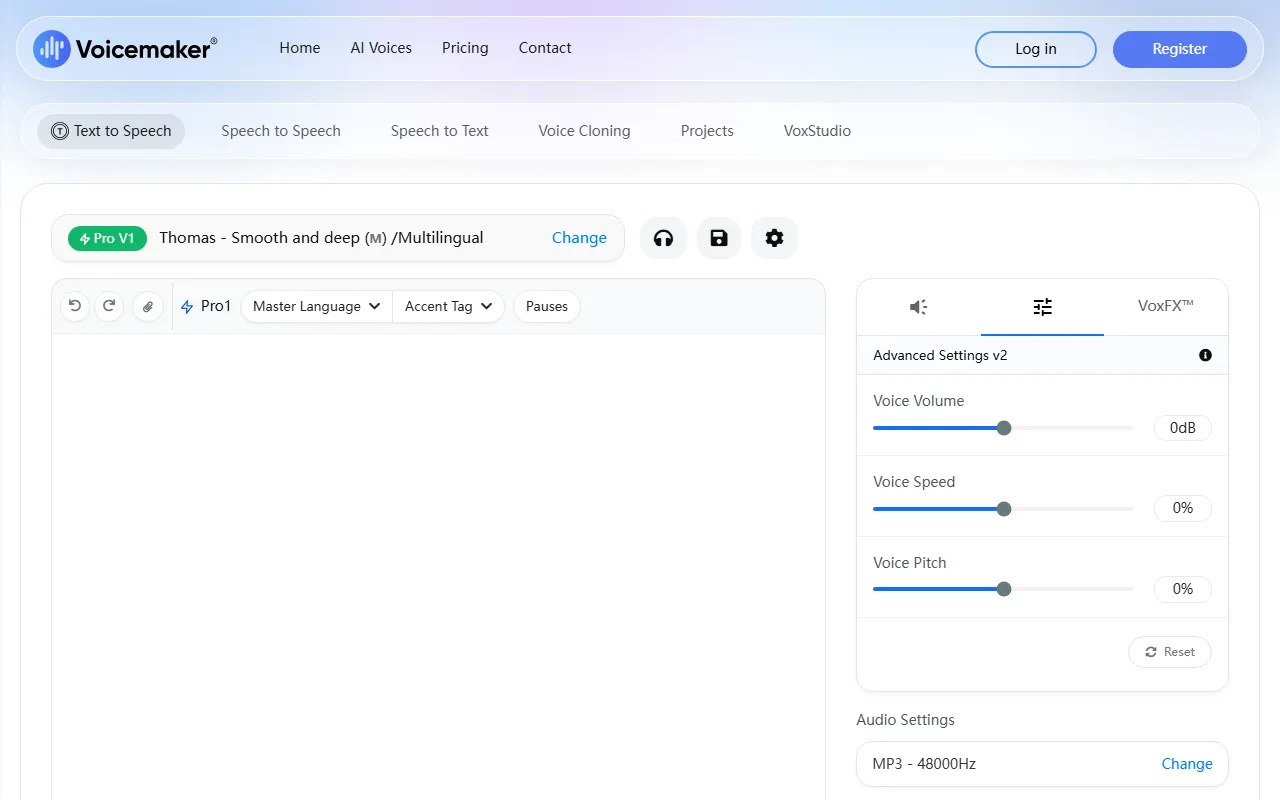
From the product positioning perspective, Voicemaker is more of a one-stop online TTS (Text to Speech) generation platform. It not only provides basic text-to-speech capabilities, but also offers a certain degree of adjustment options for details such as pronunciation, pauses, speech rate, and pitch, making it convenient for users to customize according to different content styles.
Main Features
-
AI text to speech
- It can quickly convert text into speech content, suitable for needs such as narration, commentary, and reading aloud.
-
Multilingual and multi-region support
- The official website shows support for 130 languages and regions, suitable for cross-language content production.
-
Rich AI voice library
- Provides 1000+ AI voices, which can be filtered by dimensions such as language, gender, age, and accent.
-
Voice style filtering
- Supports selecting voices by different categories, such as narration, conversation, social media, entertainment, advertising, education, IVR, and chatbots.
-
Audio parameter adjustment
- Parameters such as pauses, speech rate, and pitch can be adjusted to match different expression needs.
-
Custom pause settings
- Supports setting pause duration for scenarios such as question marks, exclamation marks, and paragraph intervals, to optimize reading rhythm.
-
Pronunciation editing
- Provides the Pronunciation Editor feature for correcting the pronunciation of specific words or names.
-
Voice profiles
- Supports the Voice Profile feature, making it easy to save and reuse commonly used voice configurations.
-
Audio export
- Supports downloading in MP3 and WAV formats, facilitating subsequent editing, publishing, and integration.
Pricing
The content captured from the official website does not show the complete pricing page, but from publicly available information, it is known that:
- Offers free trial or basic access capabilities
- The Pronunciation Editor feature is available only in paid plans
- The Voice Profile feature is also available only in paid plans
- Some advanced voice models and professional features may require a paid subscription plan
If you need to learn about the latest plans, usage quotas, and the scope of commercial licensing, it is recommended to directly visit the official pricing page or check the instructions in your account after registering.
FAQ
-
What output formats does Voicemaker support?
- The official website shows support for exporting MP3 and WAV audio formats.
-
Does it support multilingual dubbing?
- Yes. The official website indicates that the available voices cover 130 languages and regions.
-
What usage scenarios is it suitable for?
- It can be used for YouTube Shorts, video dubbing, presentations, audio content, educational materials, advertising, IVR, and chatbots.
-
Can voice effects be adjusted?
- Yes, the platform supports adjustment of parameters such as pauses, speech rate, and pitch. Some advanced settings may require payment.
-
Are all features available for free?
- No. According to official website information, some features such as Pronunciation Editor and Voice Profile are only available to paid users.
Related Tools
View allWondershare Filmora 2023 is a domestic video editing software that is easy to use and feature-rich, supporting one-click import of SRT subtitles, with a simple and stylish interface, flexible timeline editing functions, and abundant resource effects.
MyVocal.ai is a tool that provides voice synchronization and voice cloning features. Users can synchronize their own voice with popular music and complete voice cloning in a relatively short time.
Pod Genie is an AI podcast tool that can convert RSS feeds into personalized podcast content, and provides customized news broadcasts, newsletters, and summary services, making it convenient for users to access audio information based on their interests.
Lovo is an AI voice generation and text-to-speech tool that supports converting text into natural speech, suitable for audio content production, voiceover, and various creative scenarios, helping reduce manual recording costs and time investment.
YouWhisper is a community Hugging Face Space for audio and video transcription, using Whisper-style speech-to-text workflows to create transcripts.
Mubert is an AI music generation tool that provides royalty-free tracks for content creators and app developers, and can generate music by style, mood, use case, and duration.