
AI Portrait Generator
Image & DesignAI Portrait Generator is an AI avatar generation tool. After users upload multiple photos taken from different angles and under different lighting conditions, it can generate personalized stylized avatars and provide avatar examples, pricing information, and FAQ details.
About
Overview
AI Portrait Generator is an AI avatar generation tool for individual users, mainly used to generate stylized avatars or digital portrait content based on real photos. Users usually need to upload about 20 photos of themselves, ideally covering different angles, expressions, and lighting environments, to help the model more accurately recognize portrait features and produce more stable generation results.
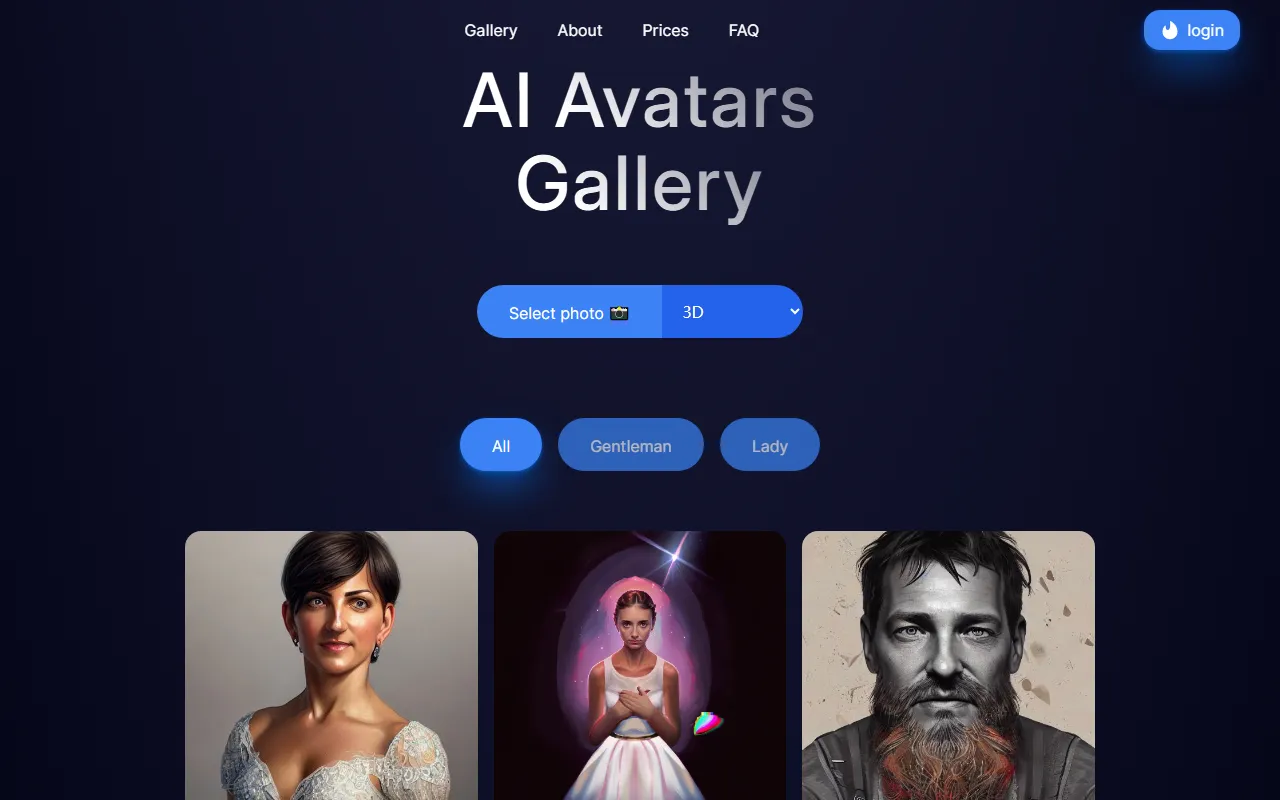
As seen on the official website, the product provides page entries such as Gallery, Prices, FAQ, indicating that it not only supports avatar generation but also offers example browsing, pricing information, and answers to common questions, making it convenient for users to understand the finished style and service approach before use. The style directions currently visible in the displayed content include Clay, 3D, Emoji, Video game, Pixels, Toy, which are suitable for users who want to create personalized social avatars, personal display images, or try AI portrait stylization.
Key Features
-
AI avatar generation
- Generate exclusive personal avatar content based on portrait photos uploaded by users.
- Suitable for use as social platform avatars, personal homepage profile images, or creative portrait displays.
-
Multi-photo training input
- Generally requires uploading about 20 photos.
- It is recommended to include different angles, lighting, and conditions to improve the model's recognition of character features.
-
Multiple stylized presentations
- The official website display includes multiple style tags available for browsing, such as:
- Clay
- 3D
- Emoji
- Video game
- Pixels
- Toy
- This means users can refer to examples of different visual styles to judge whether they meet their needs.
- The official website display includes multiple style tags available for browsing, such as:
-
Gallery browsing
- Provides a Gallery page for conveniently viewing examples of generated results.
- It can help users understand the overall style tendency and finished quality before placing an order or uploading photos.
-
View examples by category
- The website summary shows support for browsing example content by categories such as All, Gentleman, Lady.
- This helps users more quickly find avatar cases close to their own needs.
Pricing
The official website navigation provides a Prices page entry, indicating that the product has a pricing information page. However, based on the currently captured content, no clear specific package prices, billing method, or version differences are shown. If you plan to use this tool, it is recommended to visit the official pricing page to further confirm the following information:
- Whether it charges per generation
- Whether different style packs or quantity packs are distinguished
- Whether regeneration or touch-up services are included
- The number of delivered images and generation time details
FAQ
The official website provides an FAQ page, indicating that the product has compiled common usage questions, which may usually cover the following directions:
- How many photos need to be uploaded
- What shooting conditions the photos should meet
- How long the generation results approximately take
- Whether different style selections are supported
- How to obtain more stable portrait results
Since the currently captured content does not show the specific FAQ items, it is recommended to read the official FAQ page before formal use, with a focus on confirming photo requirements, generation cycle, and refund or retry rules.
Suitable Users
- Ordinary users who want to create personalized AI avatars
- People who need a unified image across social platforms
- Creators who want to try digital portrait stylization
- Individuals or freelancers who want to quickly obtain display-style avatar materials
Summary
AI Portrait Generator has a clear positioning: by uploading multiple real photos, it generates stylized personal AI avatars. Its core value lies in lowering the barrier to creating personalized avatars, while helping users understand the effects and usage process in advance through gallery examples, a pricing page, and an FAQ. If you value a unified avatar style and hope to obtain more design-oriented portrait content, this type of tool is highly practical.
Related Tools
View allHayo is an all-in-one tool that brings together multiple AI capabilities, covering areas such as AI art and information, making it convenient for users to experience various AI application capabilities including generation, browsing, sharing, and expression through a single entry point.
Openart is a creative platform that aggregates AI artwork and prompts, featuring a large collection of images generated by models such as DALL·E 2, Midjourney, and Stable Diffusion, and provides AI image generation functions.
Lucidpic is an AI virtual human photo generation tool that can quickly create high-quality portrait stock images and supports adjusting appearance elements such as clothing, hairstyle, style, and age.
Pixian is an AI image background removal tool that supports free, high-resolution processing and can be used without registration, making it suitable for quickly completing cutouts and image background removal.
PimEyes is a facial recognition reverse search engine that can use a photo to find images of similar faces appearing on the internet, and help users learn which websites their photos may have been published on.
ArtHub is a creative community that aggregates AI-generated artworks and prompts, where users can browse, upload, and share AI-generated images, design works, and related creative inspiration.