
Galileo AI
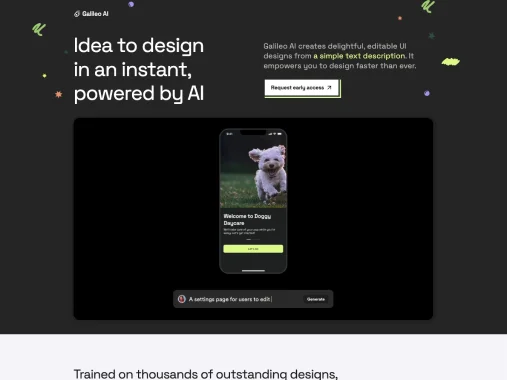
Image & DesignGalileo AI is an AI interface design tool that can generate editable UI designs from natural language prompts and images, and supports further editing and refinement in Figma.
About
Overview
Galileo AI is an AI design tool for UI/UX design, mainly used to quickly generate editable mobile and web interface designs based on natural language prompts or image inputs. It is suitable for product designers, startup teams, and users who need to create prototypes quickly, helping shorten the process from ideas and requirement descriptions to visual drafts.
The core value of the tool lies in improving the efficiency of design exploration and prototype building: users can first describe page requirements with text, then have AI generate interface solutions, and continue editing, collaborating, and refining them in Figma. This type of workflow is especially suitable for early-stage concept validation, product direction exploration, and high-efficiency prototype design.
According to the latest information on the official website, the product is currently presented in the form of Stitch - Design with AI, emphasizing the generation of UI for mobile apps and web apps to accelerate the design ideation process.
Key Features
-
Text-to-UI generation
- Generate high-fidelity interface designs based on simple natural language descriptions, for quickly expressing product ideas.
-
Image-to-UI generation
- Supports generating interface solutions based on image input, providing more possibilities for design reference and style exploration.
-
Mobile and web interface design
- Can generate UI designs suitable for mobile apps and websites, covering common product prototyping scenarios.
-
Editable design output
- Generated results can continue to be modified, rather than remaining only at the level of static mockups, making later refinement easier.
-
Figma integration
- Supports exporting to Figma, making it convenient for designers to further edit, collaborate, and deliver in a familiar environment.
-
Style customization
- Theme styles can be adjusted, such as colors, fonts, and corner radius, to fit different brands and visual directions.
-
Assisted generation of design assets and copy
- Can supplement illustrations, images, and context-related copy during the interface design process, helping quickly form more complete page drafts.
Pricing
Standard
- Price: $19/month
- Allowance: 1200 credits per month, about 120 design generations and edits
- Includes:
- Unlimited code exports
- Unlimited Figma exports
- Mobile UI generation
- Web UI generation
Pro
- Price: $39/month
- Allowance: 3000 credits per month, about 300 design generations and edits
- Includes:
- All Standard features
- Private mode, generated designs are visible only to yourself
Enterprise
- Price: Custom
- Includes:
- Unlimited generations
- Faster generation speed
- More advanced data privacy
- Priority support
FAQ
Who is Galileo AI suitable for?
It is suitable for product designers, indie developers, startup teams, and users who need to quickly complete interface sketches and prototype validation.
Can Galileo AI be used directly in formal design workflows?
It can be used as a tool for early-stage ideation and prototype design, and the generated results can also continue to be edited in Figma, so it can connect well with formal design workflows.
What input methods does Galileo AI support?
Current public information shows that it supports text input to generate UI, and also supports image input to generate UI.
Does Galileo AI support Figma?
Yes. It can import generated designs into Figma, making further modification, collaboration, and refinement convenient.
Related Tools
View allHayo is an all-in-one tool that brings together multiple AI capabilities, covering areas such as AI art and information, making it convenient for users to experience various AI application capabilities including generation, browsing, sharing, and expression through a single entry point.
Openart is a creative platform that aggregates AI artwork and prompts, featuring a large collection of images generated by models such as DALL·E 2, Midjourney, and Stable Diffusion, and provides AI image generation functions.
Lucidpic is an AI virtual human photo generation tool that can quickly create high-quality portrait stock images and supports adjusting appearance elements such as clothing, hairstyle, style, and age.
Pixian is an AI image background removal tool that supports free, high-resolution processing and can be used without registration, making it suitable for quickly completing cutouts and image background removal.
PimEyes is a facial recognition reverse search engine that can use a photo to find images of similar faces appearing on the internet, and help users learn which websites their photos may have been published on.
ArtHub is a creative community that aggregates AI-generated artworks and prompts, where users can browse, upload, and share AI-generated images, design works, and related creative inspiration.