
Getalpaca
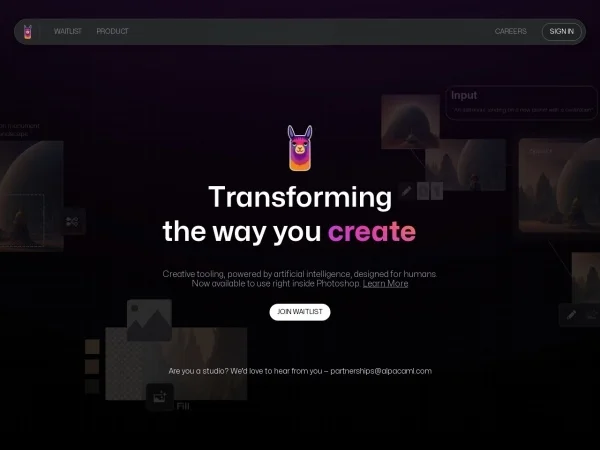
Image & DesignGetalpaca is an AI image generation plugin for Photoshop that combines artificial intelligence generation capabilities with designers' editing workflows, helping users naturally integrate generated images into existing works and complete creative design more efficiently.
About
Overview
Getalpaca is an AI image generation plugin for Adobe Photoshop, positioned to embed image generation capabilities directly into the creative environment that designers are familiar with. Compared with standalone AI image generation tools, it places more emphasis on an integrated workflow of generation, editing, and compositing: users can generate images within Photoshop and continue refining them using common design operations such as layers, masks, and selections, reducing the cost of repeatedly switching between different software.
Based on the currently available information, Getalpaca is suitable for scenarios such as visual exploration, concept design, asset supplementation, and creative compositing. For designers, illustration creators, and visual teams that need to quickly try different visual directions, styles, or compositions, this type of plugin can improve the efficiency of early-stage creative iteration. However, the currently public information is relatively limited, and the content captured from the official website does not provide a more complete functional description.
Key Features
-
Photoshop plugin integration
- Use AI image generation capabilities directly in Photoshop, without the need to frequently switch to external platforms.
-
Fits design workflows
- Better suited for use with existing design files, layer structures, and post-editing workflows, making it easier to integrate generated content into original works.
-
Supports image creation and compositing
- Can be used to supplement visual assets, carry out creative collage, and explore different visual approaches, helping complete concept art or design drafts.
-
Improves creative iteration efficiency
- Quickly try different styles, compositions, and visual directions in a familiar software environment, reducing the time spent on repetitive operations.
-
Suitable for professional design needs
- Based on the current description, the product appears to be more oriented toward user groups with actual commercial design, team collaboration, or professional image processing needs.
Pricing
At present, there does not appear to be a publicly available standard pricing page on the official website. Based on the available information, Getalpaca requires contacting the team for a quote first, so it is more likely to use customized pricing or a business cooperation approach aimed at professional users.
If you are preparing to introduce this tool, it is recommended to focus on confirming the following information:
- Whether it supports purchase by individual users
- The plugin's licensing method and applicable versions
- Whether charges are based on accounts, team seats, or projects
- Whether trials, demos, or enterprise plans are provided
FAQ
Who is Getalpaca suitable for?
It is more suitable for designers who frequently use Photoshop, visual creators, concept art practitioners, and professional teams that need to directly incorporate AI-generated content into the design workflow.
What is the difference between it and ordinary AI image generation tools?
Its main difference lies in workflow integration. Getalpaca is not a standalone web tool, but instead emphasizes completing generation and subsequent editing within the Photoshop environment, making it easier to connect with existing design drafts.
Is there public pricing?
At present, there is no clear public pricing information, and the known method is to contact the team for a quote.
Why is there not more information on the official website?
The currently captured content from the official website only shows "Redirecting...", indicating that the public page may have redirects, access restrictions, or information updates. If you need to learn more, it is recommended to visit the official website directly or contact the product team for the latest information.
Related Tools
View allHayo is an all-in-one tool that brings together multiple AI capabilities, covering areas such as AI art and information, making it convenient for users to experience various AI application capabilities including generation, browsing, sharing, and expression through a single entry point.
Openart is a creative platform that aggregates AI artwork and prompts, featuring a large collection of images generated by models such as DALL·E 2, Midjourney, and Stable Diffusion, and provides AI image generation functions.
Lucidpic is an AI virtual human photo generation tool that can quickly create high-quality portrait stock images and supports adjusting appearance elements such as clothing, hairstyle, style, and age.
Pixian is an AI image background removal tool that supports free, high-resolution processing and can be used without registration, making it suitable for quickly completing cutouts and image background removal.
PimEyes is a facial recognition reverse search engine that can use a photo to find images of similar faces appearing on the internet, and help users learn which websites their photos may have been published on.
ArtHub is a creative community that aggregates AI-generated artworks and prompts, where users can browse, upload, and share AI-generated images, design works, and related creative inspiration.