
Hama
Image & DesignHama is an online AI photo retouching tool focused on removing unwanted objects or parts of the background from images. It is easy to use and suitable for quickly completing basic cleanup and visual optimization.
About
Overview
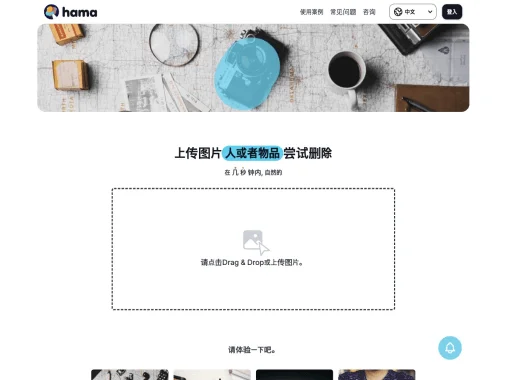
Hama is an online AI photo retouching tool designed for everyday image cleanup needs. It is mainly used to remove unwanted content from photos, such as passersby, clutter, text, or partial background elements. Its operation is relatively intuitive: after uploading an image, users only need to brush over the area they want to delete, then perform the erase action, and the system will automatically generate the processed result.
Compared with professional image editing software, Hama is more suitable for users who want to quickly complete basic photo retouching. For people without complex post-processing experience, it can complete image cleanup in a relatively short time and improve the visual appearance of pictures. It is suitable for lightweight scenarios such as product image organization, travel photo optimization, and social media image retouching.
Main Features
- AI smart object erasing
- Can delete unwanted elements in images, such as people, clutter, text, and other distracting content.
- Local brush-based operation
- By manually marking the area to be removed, the processing target becomes clearer, reducing the probability of mistakenly deleting other content in the image.
- Online use
- No need to install local software; simply upload images and complete processing directly on the webpage, making it suitable for temporary and frequent use.
- Fast result generation
- According to the official website description, after marking is completed, erase results can be output relatively quickly, making it suitable for scenarios that require quick image cleanup.
- Suitable for non-professional users
- The interaction threshold is relatively low and does not rely on complex layers, masks, or professional photo retouching knowledge.
- Wide range of applicable scenarios
- Can be used for product image optimization, travel photo cleanup, social media content retouching, and removal of irrelevant elements in everyday images.
Product Pricing
Current public information does not provide a clear and complete explanation of the pricing plans. According to the official website description, Hama supports free trial access to basic image erasing features.
If you need to know whether there are export limits, resolution limits, or paid versions, it is recommended to refer to the latest information on the official website.
Frequently Asked Questions
What kinds of images is Hama suitable for processing?
It is suitable for processing images that need local distracting objects removed, such as passersby in photos, background clutter, text in the image, or small unwanted elements.
Is it necessary to download software?
No. Hama is an online tool and can be used directly through a browser.
Is it difficult to use?
The overall operation is relatively simple. Usually, you only need to upload an image, brush over the target area, and perform the erase action, making it suitable for users without professional photo retouching experience.
Can it replace professional photo editing software?
For the need to quickly remove simple distracting objects, Hama is efficient enough; however, if it involves complex compositing, fine edge repair, or intensive commercial post-processing, it is still recommended to use it together with more professional image editing tools.
Does it support free use?
The official website description shows that unwanted content in images can be erased for free, but the specific free quota and feature scope should be subject to the latest official instructions.
Related Tools
View allHayo is an all-in-one tool that brings together multiple AI capabilities, covering areas such as AI art and information, making it convenient for users to experience various AI application capabilities including generation, browsing, sharing, and expression through a single entry point.
Openart is a creative platform that aggregates AI artwork and prompts, featuring a large collection of images generated by models such as DALL·E 2, Midjourney, and Stable Diffusion, and provides AI image generation functions.
Lucidpic is an AI virtual human photo generation tool that can quickly create high-quality portrait stock images and supports adjusting appearance elements such as clothing, hairstyle, style, and age.
Pixian is an AI image background removal tool that supports free, high-resolution processing and can be used without registration, making it suitable for quickly completing cutouts and image background removal.
PimEyes is a facial recognition reverse search engine that can use a photo to find images of similar faces appearing on the internet, and help users learn which websites their photos may have been published on.
ArtHub is a creative community that aggregates AI-generated artworks and prompts, where users can browse, upload, and share AI-generated images, design works, and related creative inspiration.