
HitPaw Video Enhancer
Image & DesignHitPaw Video Enhancer is a video quality enhancement software focused on repairing and improving low-quality videos, supporting optimization up to 8K resolution to improve clarity and viewing experience.
About
Overview
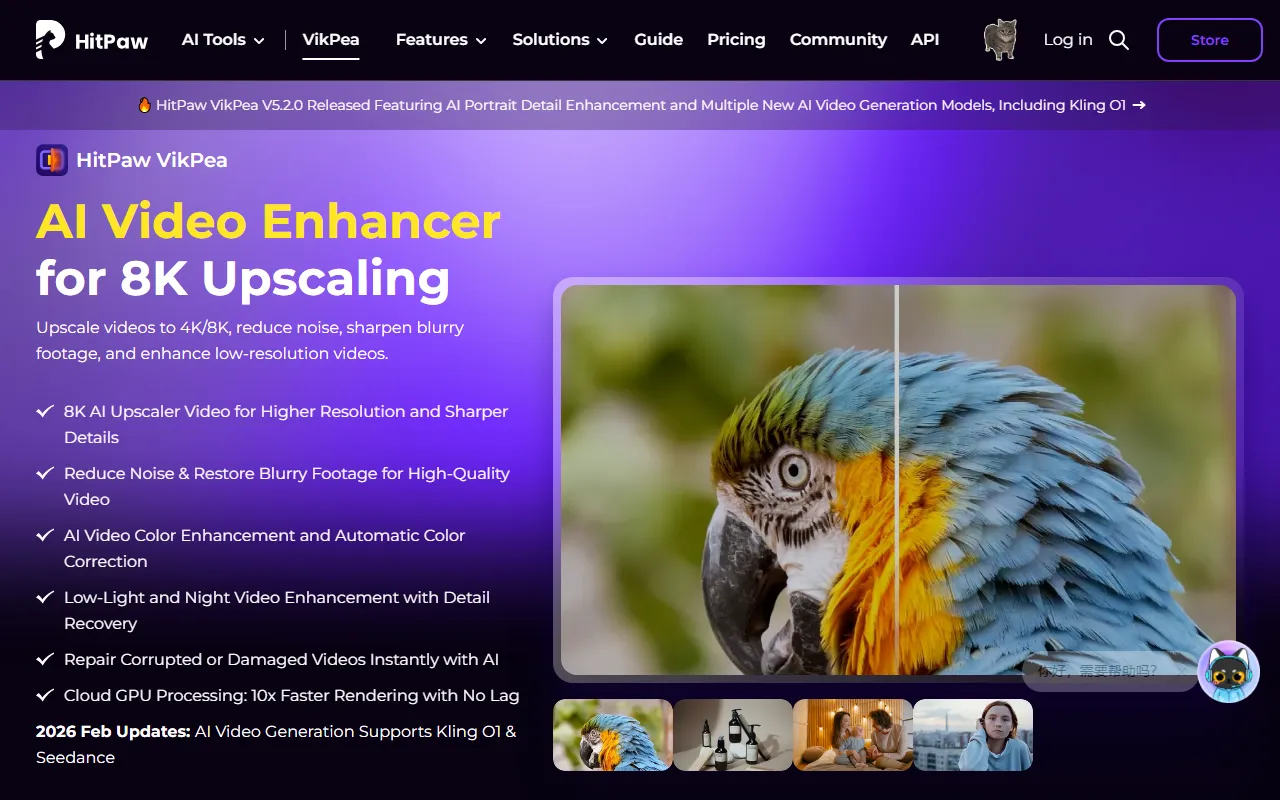
HitPaw Video Enhancer (now officially called HitPaw VikPea on the official website) is an AI tool for video quality repair and enhancement, suitable for handling problematic videos such as low-definition, blurry, noisy, poorly lit, or old footage. The product supports enhancing videos to 4K/8K resolution and provides capabilities such as noise reduction, sharpening, color optimization, and low-light enhancement, making it suitable for scenarios such as video restoration, pre-processing for secondary creation, and content archive optimization.
According to information on the official website, HitPaw VikPea supports use on PC, Mac, web, and mobile, covering desktop and lightweight processing needs. For video creators, editors, and ordinary users who want to improve the viewing experience of old videos, it can serve as an auxiliary enhancement tool in video post-production.
Main Features
-
AI Video Super-Resolution
- Supports enhancing low-resolution videos to 4K or 8K
- Suitable for old video restoration, low-definition footage upscaling, and detail enhancement
-
Noise Reduction and Blur Repair
- Can reduce noise in videos
- Sharpens blurry footage to improve subject details and overall clarity
-
Color Enhancement and Auto Color Correction
- Supports AI color optimization
- Can automatically adjust videos that appear grayish, dark, or lack sufficient color performance
-
Low-Light and Night Video Enhancement
- Optimizes videos shot in low-light environments
- Helps restore some details and improve image visibility
-
Damaged Video Repair
- The official website mentions support for AI repair of damaged or abnormal videos
- Suitable for rescuing some footage with image quality issues
-
Cloud GPU Processing
- Provides cloud GPU rendering capabilities
- Officially claims faster video processing speeds and reduced pressure on local hardware
-
Multi-Platform Support
- Available on Windows, Mac, Web, Mobile
- Convenient for choosing a processing method based on the device environment
Product Pricing
The content captured from the official website does not provide clear pricing information, but the page shows a free trial (Try It Free).
In addition, the official website has previously displayed limited-time discount promotions, but such promotional information is time-sensitive. For actual prices and offers, please refer to the official page:
- Official website: https://www.hitpaw.com/hitpaw-video-enhancer.html
Frequently Asked Questions
Who is HitPaw Video Enhancer suitable for?
It is suitable for users who need to improve the viewing experience of videos, including short-video creators, video editors, self-media teams, as well as ordinary users who want to restore old videos, home videos, or low-definition footage.
Can it only process low-definition videos?
No. In addition to upscaling low-resolution videos, it can also be used for image quality repair scenarios such as noise reduction, sharpening, color enhancement, and low-light optimization.
Does it support 8K output?
According to the official website, the product supports video enhancement and output up to 4K/8K resolution, but actual results will be affected by the quality of the original footage.
On which devices can it be used?
The official website shows support for PC, Mac, web, and mobile, making it suitable for video enhancement needs in different device environments.
Related Tools
View allHayo is an all-in-one tool that brings together multiple AI capabilities, covering areas such as AI art and information, making it convenient for users to experience various AI application capabilities including generation, browsing, sharing, and expression through a single entry point.
Openart is a creative platform that aggregates AI artwork and prompts, featuring a large collection of images generated by models such as DALL·E 2, Midjourney, and Stable Diffusion, and provides AI image generation functions.
Lucidpic is an AI virtual human photo generation tool that can quickly create high-quality portrait stock images and supports adjusting appearance elements such as clothing, hairstyle, style, and age.
Pixian is an AI image background removal tool that supports free, high-resolution processing and can be used without registration, making it suitable for quickly completing cutouts and image background removal.
PimEyes is a facial recognition reverse search engine that can use a photo to find images of similar faces appearing on the internet, and help users learn which websites their photos may have been published on.
ArtHub is a creative community that aggregates AI-generated artworks and prompts, where users can browse, upload, and share AI-generated images, design works, and related creative inspiration.