
Imagetocartoon
Image & DesignImagetocartoon is an AI-based avatar generation tool that can quickly convert portrait photos into cartoon-style images. It supports multiple effects such as traditional cartoon, watercolor, and sketch, is easy to use, and is suitable for creating personalized avatars and illustration-style photos.
About
Overview
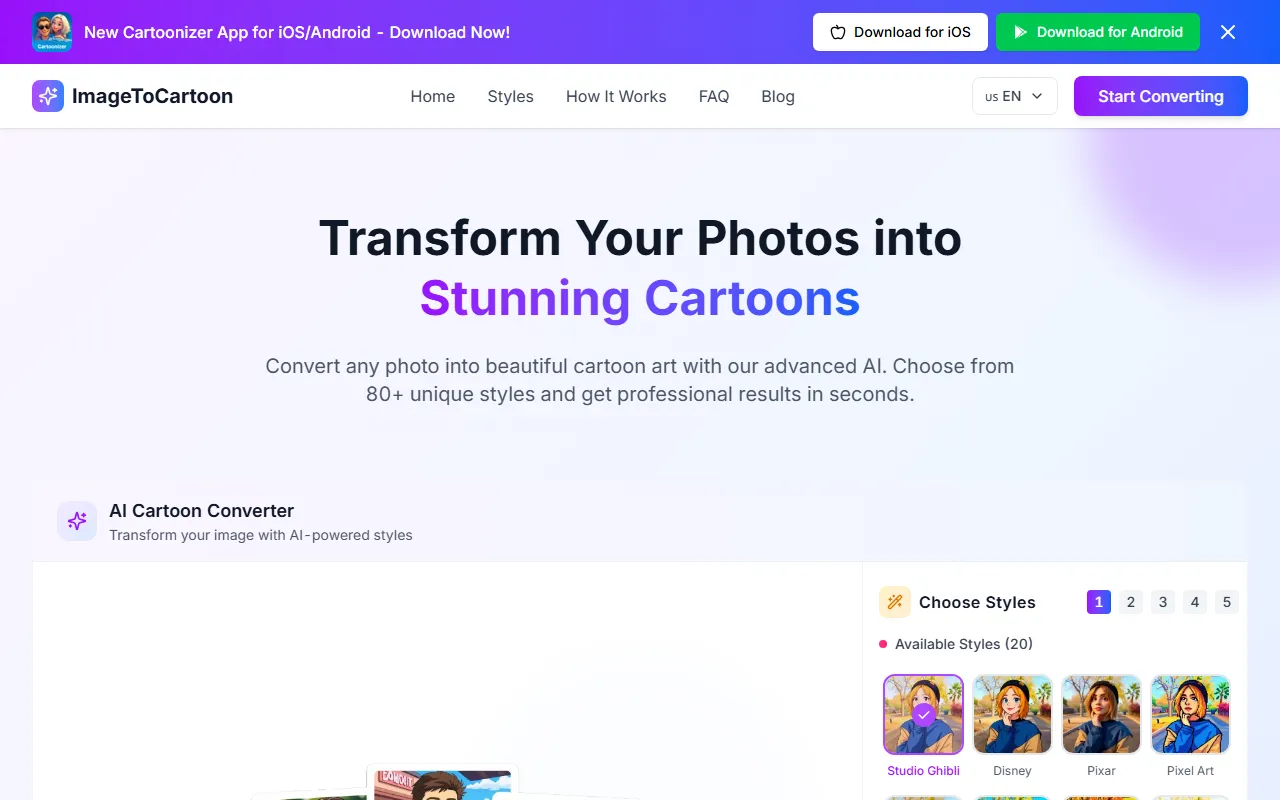
Imagetocartoon is an AI image-to-cartoon tool for general users, mainly used to quickly convert portrait photos or ordinary images into cartoon-style images. Users only need to upload an image to complete the processing on the web, making it suitable for creating avatars, creative character images, social media visuals, and other content.
According to information on the official website, Imagetocartoon supports a free online trial and offers a relatively rich style library. In addition to common effects such as traditional cartoon, watercolor, and sketch, it currently also provides a variety of more distinctive visual style options, such as anime, comics, pixel art, clay style, and flat illustration, making it suitable for users who want to quickly obtain stylized images.
Key Features
-
Photo to cartoon
- Can convert uploaded portrait photos or ordinary images into cartoon-style images.
- Supports online processing with no need for complex design experience.
-
Multiple styles available
- The official website mentions 80+ styles are available.
- The currently displayed styles include:
- Studio Ghibli
- Disney
- Pixar
- Pixel Art
- DreamWorks
- Marvel Comic
- Anime
- DC Comic
- Japanese Anime
- American Cartoon
- Makoto Shinkai
- Japanese Ukiyo-e
- One Piece
- Simpsons
- Manga
- Cel-Shaded
- Flat Illustration
- Scrapbook / Journal
- Children’s Book
- Claymation
-
Supports multiple image input methods
- Images can be uploaded directly.
- Supports dragging and dropping images.
- Supports pasting images or image URLs.
- Supported formats include JPEG, PNG, WEBP.
-
Aspect ratio settings
- Supports matching the original image ratio.
- Also provides common aspect ratio options, such as 1:1, 2:3, 3:2, 9:16, 16:9, making it convenient for avatars, covers, or social media content.
-
Fast generation
- The official website describes that results can be obtained within seconds after upload, making it suitable for lightweight creative image generation and quick avatar creation.
Pricing
According to the current information captured from the official website, Imagetocartoon provides an entry for free online use, and users can directly upload images and convert them into cartoon style.
However, the website summary does not clearly state:
- Whether there are limits on the free quota
- Whether there are premium memberships or paid plans
- Whether features such as HD downloads and batch processing require payment
If you need the latest pricing or usage restrictions, it is recommended to refer to the actual description on the official website.
FAQ
-
What is Imagetocartoon suitable for?
It is suitable for creating social media avatars, personalized character illustrations, fun photo cartoonization effects, and lightweight creative image content. -
Can it only process portrait photos?
The official website mainly emphasizes converting photos into cartoon style, especially for portrait images, but from the description it also supports uploading "any photo," and the specific results may vary depending on the image content. -
Which image formats are supported?
The currently available formats include JPEG, PNG, WEBP. -
Do I need to download and install it?
Based on the official website information, it is an online tool that can be used directly in the browser. -
Can I choose different cartoon styles?
Yes. One of the tool's main features is that it provides multiple style templates, and users can switch between different visual effects according to their preferences.
Related Tools
View allHayo is an all-in-one tool that brings together multiple AI capabilities, covering areas such as AI art and information, making it convenient for users to experience various AI application capabilities including generation, browsing, sharing, and expression through a single entry point.
Openart is a creative platform that aggregates AI artwork and prompts, featuring a large collection of images generated by models such as DALL·E 2, Midjourney, and Stable Diffusion, and provides AI image generation functions.
Lucidpic is an AI virtual human photo generation tool that can quickly create high-quality portrait stock images and supports adjusting appearance elements such as clothing, hairstyle, style, and age.
Pixian is an AI image background removal tool that supports free, high-resolution processing and can be used without registration, making it suitable for quickly completing cutouts and image background removal.
PimEyes is a facial recognition reverse search engine that can use a photo to find images of similar faces appearing on the internet, and help users learn which websites their photos may have been published on.
ArtHub is a creative community that aggregates AI-generated artworks and prompts, where users can browse, upload, and share AI-generated images, design works, and related creative inspiration.