
InVideo
Image & DesignInVideo is an online video creation platform with more than 5,000 templates and effects.
About
Overview
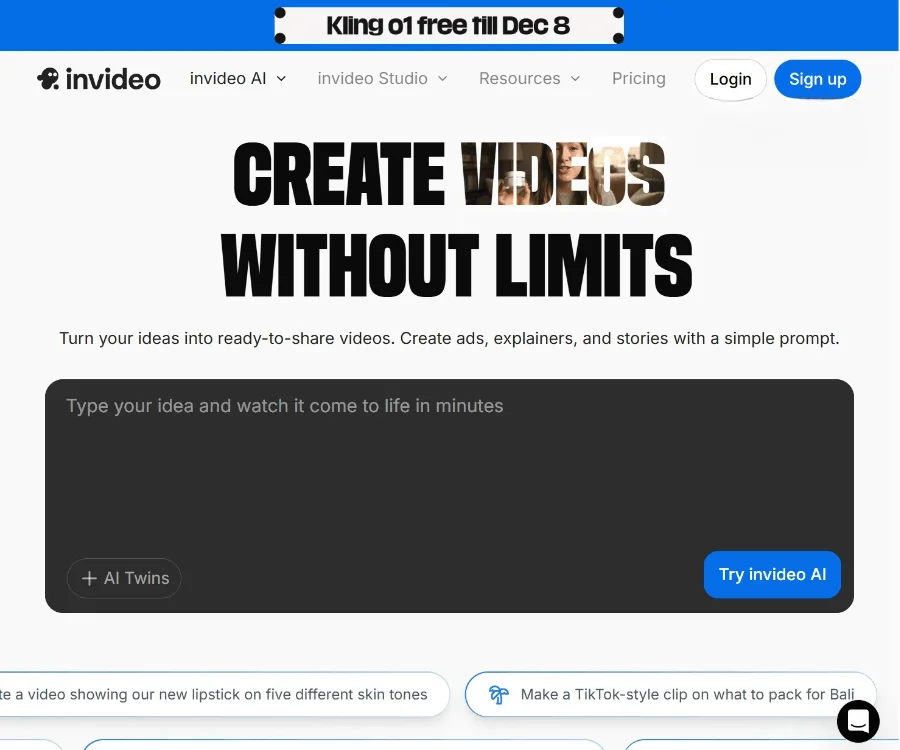
InVideo is a web-based AI video creation and editing platform for individual creators, marketing teams, brand businesses, and content operations staff. Users can complete video generation, editing, and export in the browser without downloading or installing software. According to the official website, InVideo currently not only supports traditional template-based video production, but also focuses on providing capabilities such as AI video generation, AI avatars (AI Avatars), and UGC product ads, making it suitable for a variety of content scenarios such as ads, explainer videos, story shorts, and music videos.
Compared with traditional video tools, InVideo's advantage lies in its lower barrier to entry. Combined with a large number of templates, effects, and preset content, it can help users turn ideas into publishable video works more quickly.
Key Features
-
AI video generation
- Quickly turn ideas or scripts into video content
- Suitable for creating ads, explainer videos, story videos, and more
-
Online video editing
- No need to download a client; create and edit videos directly on the web
- Convenient for quickly modifying, collaborating on, and exporting content
-
Extensive template resources
- Provides more than 5,000 templates, transitions, and effects
- Suitable for quickly applying styles and improving production efficiency
-
AI Avatars virtual humans
- Supports generating video content with virtual characters
- Can be used for demonstrations, introductions, marketing expression, and other scenarios
-
UGC product ad creation
- Supports generating product ads that are closer to user-generated content styles
- Suitable for brand promotion and e-commerce marketing asset creation
-
Effects and visual styles
- The official website showcases a variety of effects and visual categories, such as cinematic, VFX, ad styles, and more
- Helps users quickly try different forms of video presentation
-
Adaptation for multiple scenarios
- Can be used for content types such as social media short videos, brand promotion, product marketing, music videos, and more
Pricing
The currently captured content from the official website does not clearly display specific pricing plans. If you need to learn about subscription fees for Personal, Professional, or Enterprise plans, it is recommended to visit the official pricing page for the latest information:
- Official website: https://invideo.io
FAQ
Does InVideo require download and installation?
No. InVideo is an online video creation platform that can be used directly through the browser.
Who is InVideo suitable for?
It is suitable for content creators, marketers, brand teams, small and medium-sized businesses, and ordinary users who want to make videos quickly.
Does InVideo support AI-generated videos?
Yes. According to the official website description, InVideo provides AI video creation and editing features, and supports capabilities such as AI Avatars and UGC product ads.
What types of videos can InVideo make?
It can be used to create ad videos, explainer videos, story videos, music videos, and other creative short-form video content.
Does InVideo have many template resources?
Yes. Existing materials show that it has 5,000+ templates, transitions, and effects, which can help users complete video production more efficiently.
Related Tools
View allHayo is an all-in-one tool that brings together multiple AI capabilities, covering areas such as AI art and information, making it convenient for users to experience various AI application capabilities including generation, browsing, sharing, and expression through a single entry point.
Openart is a creative platform that aggregates AI artwork and prompts, featuring a large collection of images generated by models such as DALL·E 2, Midjourney, and Stable Diffusion, and provides AI image generation functions.
Lucidpic is an AI virtual human photo generation tool that can quickly create high-quality portrait stock images and supports adjusting appearance elements such as clothing, hairstyle, style, and age.
Pixian is an AI image background removal tool that supports free, high-resolution processing and can be used without registration, making it suitable for quickly completing cutouts and image background removal.
PimEyes is a facial recognition reverse search engine that can use a photo to find images of similar faces appearing on the internet, and help users learn which websites their photos may have been published on.
ArtHub is a creative community that aggregates AI-generated artworks and prompts, where users can browse, upload, and share AI-generated images, design works, and related creative inspiration.