
Let's Enhance
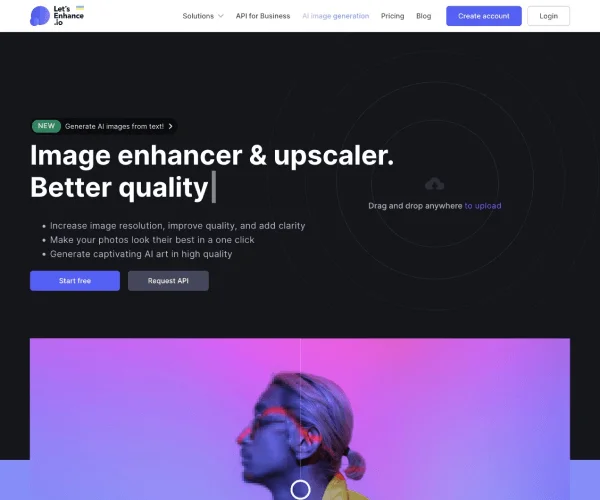
Image & DesignLet's Enhance is an AI image enhancement and upscaling tool that supports increasing image resolution, improving image quality, reducing compression artifacts, and enhancing colors, suitable for processing photos and design images online.
About
Overview
Let's Enhance is an AI image enhancement and upscaling tool designed for online use, mainly used to increase image resolution, optimize clarity, repair image quality loss caused by compression, and improve color and detail performance. It is suitable for processing low-resolution photos, design assets, social media visuals, e-commerce product images, and images that need to be enlarged for print or web display.
According to the official website, Let's Enhance provides a web-based tool and supports API access. Its core capabilities focus on image enhancement, super-resolution upscaling, sharpening, restoration, and basic editing, and it also mentions video tools and batch processing capabilities. For users who want to quickly improve image output quality without relying on complex professional software, this type of tool is highly practical.
Main Features
-
AI image enhancement
- Automatically improves photo clarity and restores some details
- Optimizes color performance and improves common issues such as color cast and underexposure
- Tries to avoid the “plastic look” or unnatural results caused by overprocessing
-
Image upscaling and super-resolution
- Supports significantly increasing image resolution
- The official website mentions output up to 512 MP
- Suitable for large-size scenarios such as posters, print, canvas, and wallpapers
-
Sharpening and denoising
- Enhances blurred edges
- Reduces compression artifacts and noise
- Can be used to repair image quality degradation caused by uploading, re-saving, or low-quality sources
-
Old photo and damaged image restoration
- Supports a certain degree of detail recovery and damage repair
- Suitable for optimized processing of old photo scans and lightly damaged images
-
Batch processing
- The official website shows support for editing multiple images at once
- Suitable for high-frequency processing needs such as e-commerce image libraries and design asset organization
-
Broad applicability
- Can be used for various image types such as photos, AI-generated images, logos, and scans
- Balances both web display and print output scenarios
Pricing
The official website shows that you can start using it for free, and new users can usually first try the basic features through free credits.
For specific pricing, credit consumption methods, subscription plans, and API billing details, please refer to the latest page on the official website.
Frequently Asked Questions
-
Who is Let's Enhance suitable for?
- It is suitable for e-commerce operators, designers, photography enthusiasts, content creators, and ordinary users who need to quickly improve image quality.
-
Can it only process photos?
- No. Information on the official website shows that it can also be used for AI images, logos, scans, and other types, but the optimization results for different materials will vary depending on the quality of the original image.
-
Can the enlarged image be used directly for printing?
- The tool supports high-resolution output, and the official website mentions that it can help images reach sizes and precision suitable for printing. However, whether it ultimately meets printing standards still needs to be judged based on the original image quality and specific output requirements.
-
Does it support batch processing?
- Yes. The official website mentions that it can process multiple images at once, making it suitable for batch optimization workflows.
-
Does it provide an API?
- The official website description mentions that it provides an API, suitable for teams or developers who need to integrate image enhancement capabilities into business systems.
Related Tools
View allHayo is an all-in-one tool that brings together multiple AI capabilities, covering areas such as AI art and information, making it convenient for users to experience various AI application capabilities including generation, browsing, sharing, and expression through a single entry point.
Openart is a creative platform that aggregates AI artwork and prompts, featuring a large collection of images generated by models such as DALL·E 2, Midjourney, and Stable Diffusion, and provides AI image generation functions.
Lucidpic is an AI virtual human photo generation tool that can quickly create high-quality portrait stock images and supports adjusting appearance elements such as clothing, hairstyle, style, and age.
Pixian is an AI image background removal tool that supports free, high-resolution processing and can be used without registration, making it suitable for quickly completing cutouts and image background removal.
PimEyes is a facial recognition reverse search engine that can use a photo to find images of similar faces appearing on the internet, and help users learn which websites their photos may have been published on.
ArtHub is a creative community that aggregates AI-generated artworks and prompts, where users can browse, upload, and share AI-generated images, design works, and related creative inspiration.