
Logomaster
Image & DesignLogomaster is an AI logo generation tool. After entering a company name and industry, users can quickly get multiple logo options and make simple adjustments.
About
Overview
Logomaster is an AI logo generation tool designed for non-design users, focusing on a brand mark creation experience that is "fast, low-threshold, and editable." Users usually only need to enter a brand name, industry, or project type to obtain multiple logo options in a short time, and then make further adjustments based on the system-generated results.
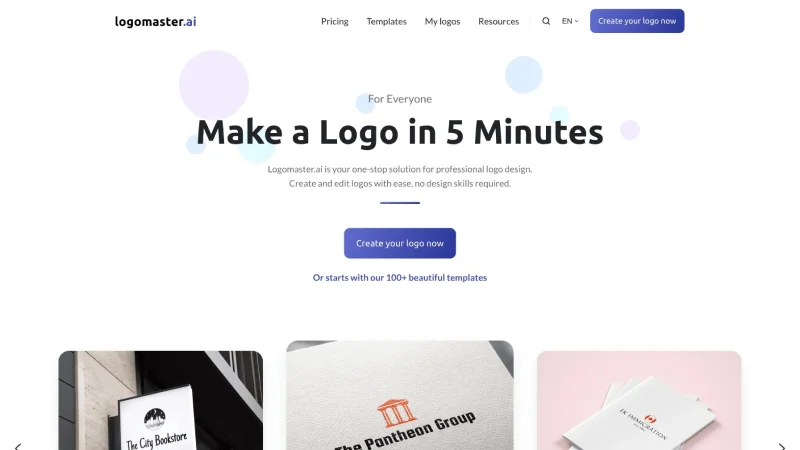
Based on the information on its official website, Logomaster.ai emphasizes that users can create a "professional-looking" logo without professional design skills, and provides a template-based starting method, making it suitable for users who want to quickly complete an initial draft of brand visuals. For startups, small merchants, freelancers, and personal brands, it is more suitable as a tool for early-stage brand identity design and direction validation.
Key Features
-
AI-powered fast logo generation
- After entering the company name and related information, the system can generate multiple optional logo designs, helping users quickly move from ideas to the visualization stage.
-
No design experience required
- The product emphasizes ease of use. Even without a design background, users can complete logo creation and basic editing.
-
Logo editing and fine-tuning
- Based on the generated designs, users can continue adjusting styles to optimize the logo's appearance and fit with brand positioning.
-
Start with templates
- The official website mentions that users can start from 100+ templates, which helps them directly choose a design direction closer to their needs instead of creating from scratch.
-
Suitable for various branding scenarios
- Including personal brands, entrepreneurial projects, startups, and more, suitable for brand building, initial visual identity drafts, and early-stage project image setup.
-
Design process completed relatively quickly
- The official website emphasizes that users can create a logo within 5 minutes, making it suitable for users who value efficiency and want to quickly obtain an initial version.
Pricing
Based on the information currently provided, no clear pricing details are visible. The website copy indicates that users can "start for free/try for free" to create a logo, but whether final export, high-resolution files, commercial licensing, or complete brand assets require payment should be confirmed on the latest official pricing page and checkout instructions.
FAQ
-
Who is Logomaster suitable for?
- It is suitable for users without professional design experience who want to quickly create a brand logo, such as startup teams, sole proprietors, freelancers, and personal project creators.
-
Is design ability required?
- No. This tool emphasizes barrier-free operation, with a focus on reducing the difficulty of logo design through AI and templates.
-
Can I continue editing after generation?
- Yes. Logomaster supports further editing and style fine-tuning after generating designs.
-
Can I start from a template?
- Yes. The official website shows that it provides more than 100 templates, which users can directly use as the basis for creation.
-
Is it completely free?
- The official website emphasizes that users can start for free, but which specific features are free and which require payment still need to be checked in the latest official instructions.
Related Tools
View allHayo is an all-in-one tool that brings together multiple AI capabilities, covering areas such as AI art and information, making it convenient for users to experience various AI application capabilities including generation, browsing, sharing, and expression through a single entry point.
Openart is a creative platform that aggregates AI artwork and prompts, featuring a large collection of images generated by models such as DALL·E 2, Midjourney, and Stable Diffusion, and provides AI image generation functions.
Lucidpic is an AI virtual human photo generation tool that can quickly create high-quality portrait stock images and supports adjusting appearance elements such as clothing, hairstyle, style, and age.
Pixian is an AI image background removal tool that supports free, high-resolution processing and can be used without registration, making it suitable for quickly completing cutouts and image background removal.
PimEyes is a facial recognition reverse search engine that can use a photo to find images of similar faces appearing on the internet, and help users learn which websites their photos may have been published on.
ArtHub is a creative community that aggregates AI-generated artworks and prompts, where users can browse, upload, and share AI-generated images, design works, and related creative inspiration.