
Magic Eraser
Image & DesignMagic Eraser is an online image element removal tool. After uploading an image, users only need to mark the area to be removed to quickly erase unwanted content, and it can be used without registration.
About
Overview
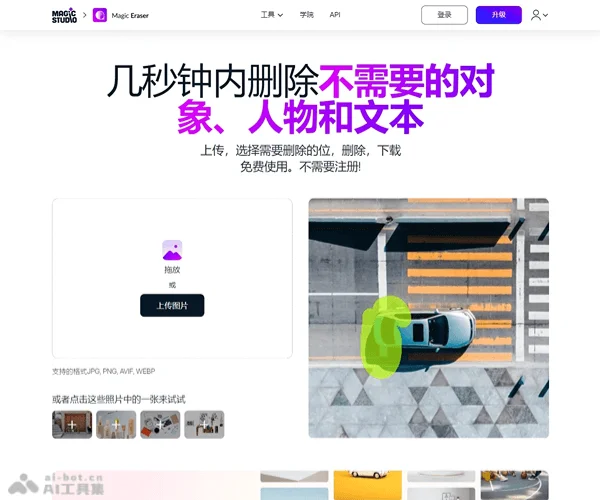
Magic Eraser is an online AI image erasing tool launched by Magic Studio, suitable for quickly removing unwanted elements from photos, such as passersby, clutter, text, watermark-like content, blemishes, or background distractions. The way to use it is very straightforward: after uploading an image, use the brush to mark the area that needs to be removed, and the system can automatically generate the erasing result. The entire process is completed on the web, with no need to download or install anything, and it can be tried without registration.
It is more suitable for lightweight daily photo editing scenarios, such as organizing social media images, cleaning up product photos, optimizing real estate photos, and enhancing everyday pictures. For users who want to quickly improve image composition and reduce cluttered elements, the barrier to getting started is relatively low.
Key Features
- AI smart erasing
- Use a brush to paint over the target area to automatically remove objects, people, text, blemishes, and patterns from images.
- Online use without registration
- Complete uploading, editing, and downloading directly in the browser, suitable for temporary and quick image processing.
- Supports common image formats
- The official website states support for JPG, PNG, AVIF, and WEBP, and also mentions compatibility with common formats such as JPEG, HEIC, and TIFF.
- Adjustable brush and zoom
- Supports adjusting brush size and image zoom for more precise selection of detail areas that need to be erased.
- Repeated erasing multiple times
- If the first result is not ideal, you can continue erasing the same area or a local area again to achieve a more natural effect.
- Batch editing
- The official website mentions support for editing 50 images at once, suitable for handling repeated distracting elements in multiple similar images.
- Suitable for multiple scenarios
- Can be used for e-commerce product image cleanup, social media photo optimization, real estate photography organization, car display image retouching, and other scenarios.
Pricing
According to publicly available information on the official website, Magic Eraser provides a free plan, with features including:
- Free access to basic erasing features
- No registration required
- Ads included in the free version
- Lower download resolution in the free version
- The free version may include a Magic Studio logo
- The free version edits one image at a time
The official website also offers upgrade options to unlock more professional features of Magic Studio, but specific paid pricing is subject to the latest page on the official website.
Frequently Asked Questions
-
Do I need to register an account?
- No, the official website supports direct use without registration.
-
Which file formats are supported?
- It supports a variety of common image formats, including JPG, JPEG, PNG, HEIC, WEBP, and TIFF. The official website summary also mentions AVIF.
-
Is image resolution limited?
- The official website states that there is no resolution limit for uploaded images.
-
Can I process multiple images at once?
- Yes, the official website mentions support for batch editing, with up to 50 images processed at one time.
-
What should I do if the first erasing result is not ideal?
- You can erase the same area again, or process the target areas one by one in multiple steps, which usually produces better results.
-
Which users is it suitable for?
- It is suitable for ordinary users doing daily photo editing, and also for scenarios such as photography, e-commerce, and real estate display that require quickly cleaning up images.
Related Tools
View allHayo is an all-in-one tool that brings together multiple AI capabilities, covering areas such as AI art and information, making it convenient for users to experience various AI application capabilities including generation, browsing, sharing, and expression through a single entry point.
Openart is a creative platform that aggregates AI artwork and prompts, featuring a large collection of images generated by models such as DALL·E 2, Midjourney, and Stable Diffusion, and provides AI image generation functions.
Lucidpic is an AI virtual human photo generation tool that can quickly create high-quality portrait stock images and supports adjusting appearance elements such as clothing, hairstyle, style, and age.
Pixian is an AI image background removal tool that supports free, high-resolution processing and can be used without registration, making it suitable for quickly completing cutouts and image background removal.
PimEyes is a facial recognition reverse search engine that can use a photo to find images of similar faces appearing on the internet, and help users learn which websites their photos may have been published on.
ArtHub is a creative community that aggregates AI-generated artworks and prompts, where users can browse, upload, and share AI-generated images, design works, and related creative inspiration.