
Palette.fm
Image & DesignPalette.fm is an automatic black-and-white photo colorization tool. After uploading old photos, users can quickly generate color versions with AI. It is easy to use and suitable for photo restoration and memory organization.
About
Overview
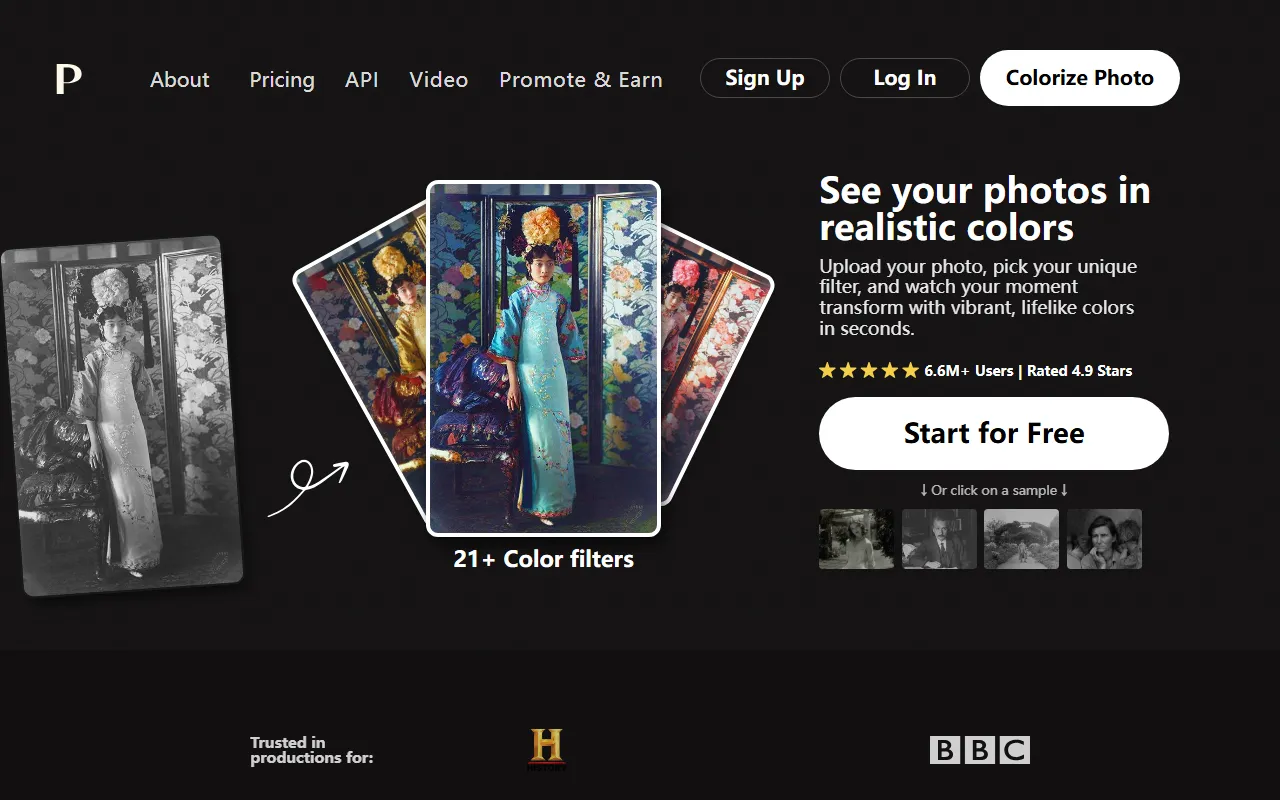
Palette.fm is an AI image tool focused on intelligent colorization of black-and-white photos, suitable for quickly converting old photos, family vintage photos, and historical images into more realistic color versions. Users only need to upload an image, and the system can complete automatic colorization within seconds, with no complex photo-editing experience or cumbersome editing process required.
Based on information from the official website, Palette.fm’s core features are fast colorization speed, a low barrier to use, and color results that lean toward a realistic style. It also provides multiple color filters, making it convenient for users to choose a more suitable visual style according to different photo subjects. It is quite suitable for memory organization, archive display, content creation, or basic photo restoration scenarios.
Main Features
-
Automatic colorization of black-and-white photos
- After uploading a black-and-white image, the AI will automatically identify the content of the picture and generate a color version.
- Suitable for common subjects such as portraits, historical photos, indoor scenes, and clothing.
-
Realistic color restoration
- The official website emphasizes “Realistic Colors,” with overall colorization results leaning toward a natural and vivid effect.
- It can help old photos present the atmosphere of the original scene more intuitively.
-
Multiple color filters available
- The official website mentions offering 21+ Color filters.
- On top of automatic colorization, users can choose different filters to try color schemes that better match the photo content or personal preferences.
-
Online use with a simple process
- No software installation is required; just upload an image directly on the web to start processing.
- The official website states that it can be tried for free, and that the basic features can be experienced without registration.
-
Suitable for organizing and displaying old photos
- It can be used for scenarios such as organizing family albums, visualizing historical images, and creating commemorative content.
- It is especially friendly for users who want to get usable results quickly rather than do fine manual photo retouching.
-
API support
- An API entry is provided in the official website navigation, indicating that the product also offers some support for developers or business integration scenarios.
- Specific API capabilities and pricing are subject to the official documentation.
Pricing
According to content captured from the official website, Palette.fm offers a free trial and has a Pricing page, but clear pricing details are not currently provided.
Confirmed information includes:
- Supports free access
- No registration required to start the trial
- A paid plans page exists
- Provides an API, possibly intended for higher-frequency or commercial usage scenarios
If you need to learn about specific plans, export limits, resolution support, or API pricing standards, it is recommended to visit the official pricing page for the latest information.
Frequently Asked Questions
Who is Palette.fm suitable for?
It is suitable for ordinary users who want to quickly colorize black-and-white photos, and also for creators and organizers handling family old photos, historical images, and content display materials.
Is professional photo-editing experience required?
No. Palette.fm is relatively straightforward to use. After uploading a photo, the AI can automatically complete the colorization, making it suitable for users with no prior experience.
Can it be used for free?
The official website shows that it supports a free trial and states that it can be used without registration, but whether the free version has limits on export results, resolution, or usage frequency is subject to the current official rules.
Is there only one colorization effect?
No. The official website mentions offering 21+ color filters, and users can try different color styles and atmospheric effects based on the same photo.
Does it support developer integration?
The official website provides an API entry, indicating that Palette.fm has certain programmatic integration capabilities and is suitable for teams with automation processing or business integration needs to explore further.
Related Tools
View allHayo is an all-in-one tool that brings together multiple AI capabilities, covering areas such as AI art and information, making it convenient for users to experience various AI application capabilities including generation, browsing, sharing, and expression through a single entry point.
Openart is a creative platform that aggregates AI artwork and prompts, featuring a large collection of images generated by models such as DALL·E 2, Midjourney, and Stable Diffusion, and provides AI image generation functions.
Lucidpic is an AI virtual human photo generation tool that can quickly create high-quality portrait stock images and supports adjusting appearance elements such as clothing, hairstyle, style, and age.
Pixian is an AI image background removal tool that supports free, high-resolution processing and can be used without registration, making it suitable for quickly completing cutouts and image background removal.
PimEyes is a facial recognition reverse search engine that can use a photo to find images of similar faces appearing on the internet, and help users learn which websites their photos may have been published on.
ArtHub is a creative community that aggregates AI-generated artworks and prompts, where users can browse, upload, and share AI-generated images, design works, and related creative inspiration.