
PhotoAiD
Image & DesignPhotoAiD is an online tool for creating passport, visa, and other ID photos. It supports editing photos according to the standards of different countries and regions, and uses AI to check image quality, size, and background, helping users generate ID photos that better meet official requirements.
About
Overview
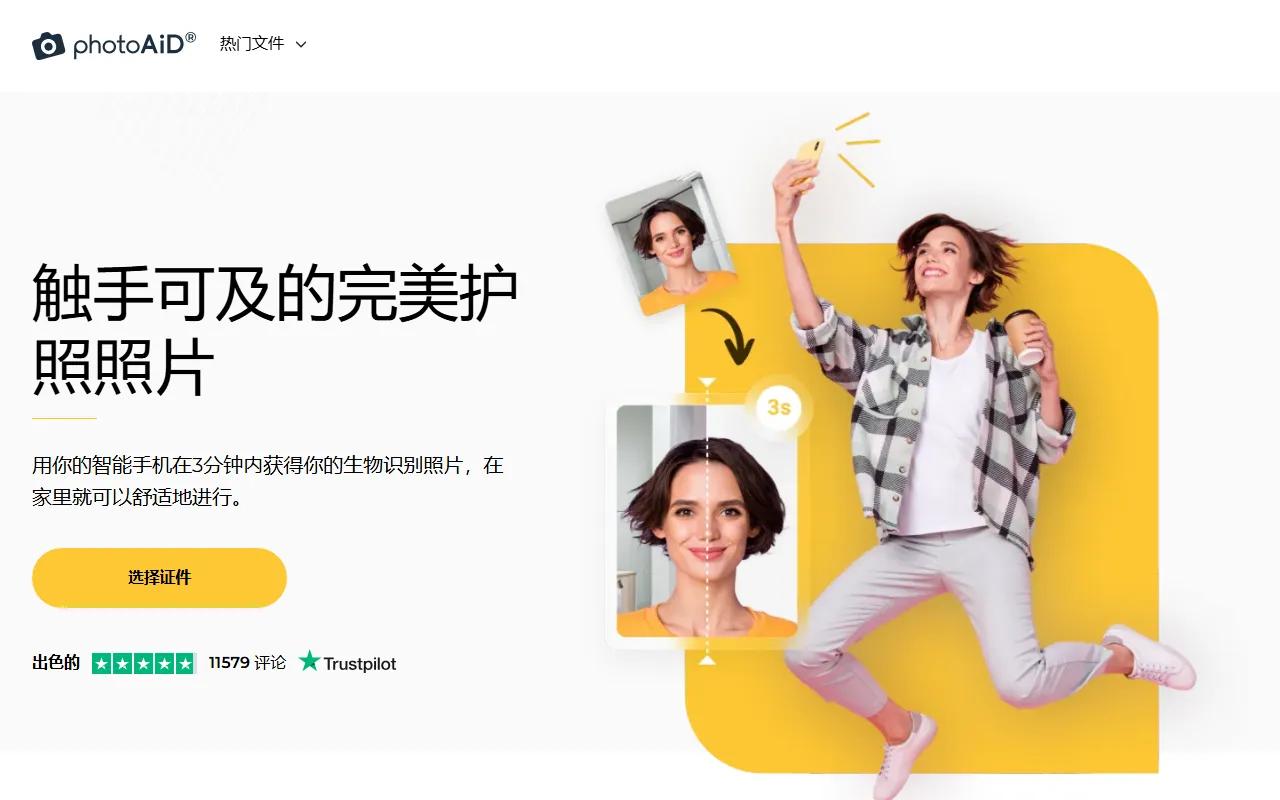
PhotoAiD is an online ID photo creation tool for scenarios such as passports, visas, and ID cards, suitable for users who need to quickly generate standardized photos at home. Users can take a photo directly with a mobile phone or camera and upload it, and the system will automatically process the size, cropping, and background based on the selected country or document type, while checking whether the photo meets common official requirements.
The core feature of this tool lies in combining AI automated processing with a manual review workflow, helping users prepare biometric photos more efficiently. In addition to common passport and visa photos, the official website content also mentions that it can be used for resume photos, driver's license photos, and other scenarios.
Key Features
-
Adaptation to ID photo specifications for multiple countries/regions
- Supports generating photo specifications based on different countries and document types, such as passports, visas, and ID cards.
- Can automatically adjust the size according to the target use, for example, passport photo size standards differ across countries.
-
AI automatic editing and compliance checks
- Automatically crops the portrait area and adjusts the photo size.
- Automatically processes the background to make the photo closer to ID photo requirements.
- Checks common compliance factors such as composition, lighting, shadows, and clarity.
-
Manual expert review
- The official website shows that after AI processing, the photo can also be further reviewed by experts, with feedback provided.
- Suitable for users who want greater confidence that the photo meets standards.
-
Online operation, completed with just a phone
- Supports directly uploading an existing photo, or processing it after taking it on the spot.
- No need to go to a photo studio, suitable for temporarily applying for documents or remotely preparing application materials.
-
Additional image processing capabilities
- Provides online editing capabilities such as background removal, cropping, shadow removal, image enlargement, and blur processing.
- Can be used to further optimize the basic visual quality of ID photos.
Pricing
The content captured from the official website does not clearly display standard pricing information, but it mentions:
- You can first upload a photo and view it for free
- Whether payment, printing, or mailing is required usually depends on the selected service content
If you need to know the latest pricing, whether digital and printed versions are supported, and differences in charges for different document types, it is recommended to refer to the official website.
FAQ
-
Who is PhotoAiD suitable for?
It is suitable for users who need to create passport photos, visa photos, ID card photos, driver's license photos, or resume photos, especially those who want to complete shooting and processing by themselves at home. -
Is professional equipment required?
Not necessarily. According to the official website, users can directly use a smartphone to take photos and upload them for processing. -
Will it automatically determine whether the photo is compliant?
Yes. PhotoAiD will use AI to check the background, size, composition, shadows, and more, and will automatically adjust the photo. -
Does it support photo standards for different countries?
Yes. The tool will match the corresponding specification requirements based on the selected country or document type. -
What else can it do besides ID photos?
The official website and existing materials show that it also provides basic editing features such as background removal, cropping, shadow processing, and image enlargement.
Related Tools
View allHayo is an all-in-one tool that brings together multiple AI capabilities, covering areas such as AI art and information, making it convenient for users to experience various AI application capabilities including generation, browsing, sharing, and expression through a single entry point.
Openart is a creative platform that aggregates AI artwork and prompts, featuring a large collection of images generated by models such as DALL·E 2, Midjourney, and Stable Diffusion, and provides AI image generation functions.
Lucidpic is an AI virtual human photo generation tool that can quickly create high-quality portrait stock images and supports adjusting appearance elements such as clothing, hairstyle, style, and age.
Pixian is an AI image background removal tool that supports free, high-resolution processing and can be used without registration, making it suitable for quickly completing cutouts and image background removal.
PimEyes is a facial recognition reverse search engine that can use a photo to find images of similar faces appearing on the internet, and help users learn which websites their photos may have been published on.
ArtHub is a creative community that aggregates AI-generated artworks and prompts, where users can browse, upload, and share AI-generated images, design works, and related creative inspiration.