
PhotoLeaf
Image & DesignPhotoLeaf is an AI avatar generation tool. After users upload personal photos, it can generate social media avatars and personal portrait images in multiple styles, making it suitable for personal homepages and social platform displays.
About
Overview
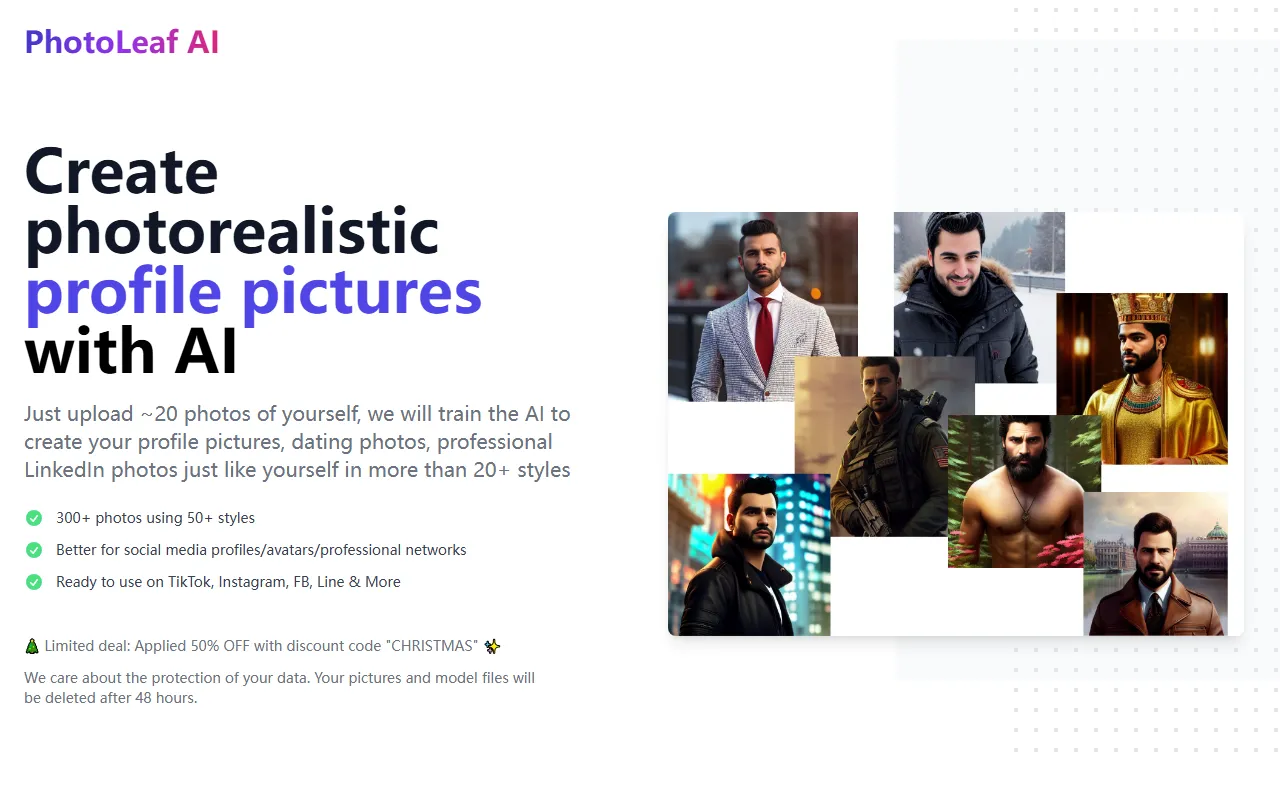
PhotoLeaf is an AI avatar generation tool for individual users, mainly used to create stylized personal photos suitable for display on social media, personal homepages, and professional platforms. Users typically only need to upload about 20 personal photos, and the system will then train based on an AI model to generate a large number of avatars and portrait images in different styles.
According to information on the official website, PhotoLeaf can generate relatively realistic-style profile pictures, suitable for social avatars, dating photos, professional headshots, and professional networking scenarios such as LinkedIn. For users who want to quickly obtain diverse personal image materials and reduce the cost of shooting and retouching, this is a relatively efficient solution.
Key Features
-
Upload personal photos to train an exclusive model
After users upload about 20 photos of themselves, the platform will train the AI to generate portrait images that more closely match their own features. -
Batch generation of avatar images
The official page shows that it can generate 300+ photos, making it easy to choose avatars suitable for different platforms and purposes. -
Multiple visual styles available
It supports 20+ styles, and the latest information on the official website mentions up to 50+ styles. Overall, it is suitable for trying different aesthetic directions for personal image presentation. -
Suitable for multiple usage scenarios
The generated results can be used for:- Social media avatars
- Personal homepage profile images
- Professional headshots
- Dating profile photos
- Display on platforms such as TikTok, Instagram, Facebook, and Line
-
Relatively realistic portrait effects
The official website emphasizes that it generates photorealistic profile pictures, making it more suitable for users who want to retain real appearance features. -
Privacy handling statement
The official statement says that user-uploaded photos and model files will be deleted after 48 hours, which is suitable for users who are more sensitive about data retention for reference.
Pricing
The content captured from the official website does not provide clear information from a standard pricing page, so it is currently not possible to accurately list specific package prices.
Currently confirmed information includes:
- There have been limited-time discount promotions
- Example discount code:
CHRISTMAS - Promotional information may change over time, and the actual price should be based on the official website page
FAQ
-
What types of images is PhotoLeaf suitable for generating?
It is mainly used to generate personal display images such as social media avatars, profile images, professional headshots, and dating photos. -
How many photos need to be uploaded?
The official website shows that users usually need to upload about 20 personal photos in order to train an AI model that more closely matches their own features. -
How many images can be generated?
According to the official website summary, users can receive 300+ generated images. -
How many styles are supported?
Existing materials mention support for more than 20 styles, while the latest official website summary states 50+ styles. For the specific number of available styles, it is recommended to refer to the actual product page. -
Is PhotoLeaf suitable for avatars on professional platforms?
Yes. The official website explicitly mentions that it can be used for professional LinkedIn photos and other professional networking scenarios. -
How long will user data be retained?
The official statement says that uploaded images and model files will be deleted after 48 hours.
Related Tools
View allHayo is an all-in-one tool that brings together multiple AI capabilities, covering areas such as AI art and information, making it convenient for users to experience various AI application capabilities including generation, browsing, sharing, and expression through a single entry point.
Openart is a creative platform that aggregates AI artwork and prompts, featuring a large collection of images generated by models such as DALL·E 2, Midjourney, and Stable Diffusion, and provides AI image generation functions.
Lucidpic is an AI virtual human photo generation tool that can quickly create high-quality portrait stock images and supports adjusting appearance elements such as clothing, hairstyle, style, and age.
Pixian is an AI image background removal tool that supports free, high-resolution processing and can be used without registration, making it suitable for quickly completing cutouts and image background removal.
PimEyes is a facial recognition reverse search engine that can use a photo to find images of similar faces appearing on the internet, and help users learn which websites their photos may have been published on.
ArtHub is a creative community that aggregates AI-generated artworks and prompts, where users can browse, upload, and share AI-generated images, design works, and related creative inspiration.