
Phygital+
Image & DesignPhygital+ is a node-based AI creation tool for visual creators. It can call neural networks for AR art generation and image optimization without programming, making it suitable for experimental visual project production.
About
Overview
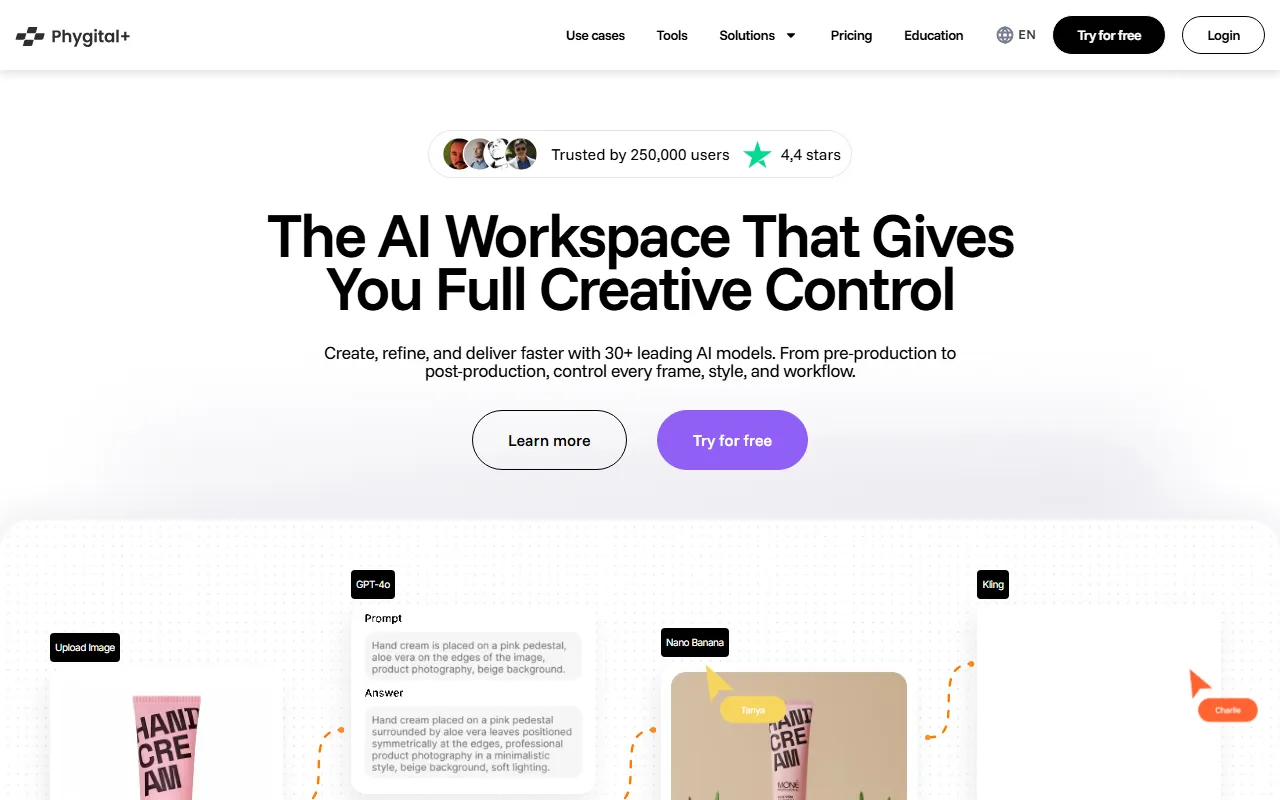
Phygital+ is a node-based AI design workspace for visual creators, focused on combining and calling multiple AI models through visual workflows. Without programming, users can complete image generation, editing, enhancement, and some video-related creative tasks. It emphasizes “control over AI results,” making it suitable for users who want to maintain a high degree of creative freedom from inspiration and asset processing to final output.
According to the official website, Phygital+ integrates 30+ AI tools and models into a single workspace, which can be used for the full process from early creative exploration to later-stage visual optimization. For scenarios such as digital art, brand visuals, AR/interactive content experimentation, and creative prototype development, this node-based, low-code approach can effectively lower the technical barrier and improve work efficiency.
Main Features
-
Node-based creative workflow
- Build AI design pipelines through a visual workspace
- Connect different generation, editing, and enhancement steps into reusable workflows
- Suitable for visual creators who need customized workflows
-
Multi-model integration
- Call 30+ AI tools and models within one platform
- The capabilities shown on the official website cover image generation, image editing, video generation, video animation, sound effect generation, and more
- Supports combining different models within the same project to complete creation
-
Image generation and editing
- Supports AI image generation, image variations, and visual style exploration
- Provides advanced editing capabilities such as Inpaint, Outpaint, Pan, Upscale, etc.
- Supports workflows related to context-aware editing and image optimization
-
Video and dynamic content creation
- Provides capabilities such as cinematic video generation, video animation, and portrait video generation
- Some models support first and last frame control, duration settings, landscape and portrait output, etc.
- Suitable for creative shorts, dynamic visuals, and experimental content production
-
Visual asset processing
- Supports vectorization capabilities such as image to SVG
- Can be used for design asset cleanup, enhancement, and format conversion
- Suitable for brand design, digital art, and prototyping scenarios
-
Creative control and delivery
- Emphasizes control over every frame, style, and process
- Can cover the complete design process from early concepting to later-stage refinement
- More suitable for users who value controllability of results rather than one-time “prompt-to-image” generation
Pricing
The official website shows that Phygital+ offers a free trial and also has a paid version.
In addition, early introductory information indicates that the product is currently in the Alpha stage.
For specific pricing, plan quotas, and model usage limits, please refer to the latest page on the official website.
FAQ
Who is Phygital+ suitable for?
It is suitable for visual designers, digital artists, AR/interactive content creators, and creative teams that want to combine multiple AI capabilities through visual methods.
Is programming knowledge required?
Usually not. A core feature of Phygital+ is its node-based, low-code, and even no-code mode of operation, with more emphasis on visual workflow design.
What types of creation does it mainly support?
At present, it mainly covers directions such as image generation and editing, visual enhancement, video generation/animation, and some audio and asset processing, making it suitable for creative concept development, visual experimentation, and content prototype production.
How is it different from ordinary AI image generation tools?
Compared with single-model tools, Phygital+ places more emphasis on multi-model integration and workflow control. Users can not only generate content, but also build a more complete AI design pipeline around generation, editing, enhancement, and output.
Related Tools
View allHayo is an all-in-one tool that brings together multiple AI capabilities, covering areas such as AI art and information, making it convenient for users to experience various AI application capabilities including generation, browsing, sharing, and expression through a single entry point.
Openart is a creative platform that aggregates AI artwork and prompts, featuring a large collection of images generated by models such as DALL·E 2, Midjourney, and Stable Diffusion, and provides AI image generation functions.
Lucidpic is an AI virtual human photo generation tool that can quickly create high-quality portrait stock images and supports adjusting appearance elements such as clothing, hairstyle, style, and age.
Pixian is an AI image background removal tool that supports free, high-resolution processing and can be used without registration, making it suitable for quickly completing cutouts and image background removal.
PimEyes is a facial recognition reverse search engine that can use a photo to find images of similar faces appearing on the internet, and help users learn which websites their photos may have been published on.
ArtHub is a creative community that aggregates AI-generated artworks and prompts, where users can browse, upload, and share AI-generated images, design works, and related creative inspiration.