
PicWish
Image & DesignPicWish is an online photo editing tool focused on AI image processing. It supports common features such as background removal, photo retouching, and image quality enhancement, and also offers apps across multiple platforms for convenient daily photo editing and batch processing.
About
Overview
PicWish is an AI image editing tool for everyday photo retouching and commercial image processing, offering a web version as well as apps for Android, iOS, Windows, and Mac. It focuses on a "fast, low-barrier" image processing experience, making it suitable for users without professional design skills to complete common tasks such as cutouts, enhancement, and restoration.
Based on the official website and public information, PicWish's core capabilities are concentrated in areas such as AI background removal, image sharpening, batch processing, ID photo creation, and old photo restoration, making it suitable for scenarios such as e-commerce product image optimization, social media graphics, portrait enhancement, old photo processing, and routine office image editing.
Main Features
-
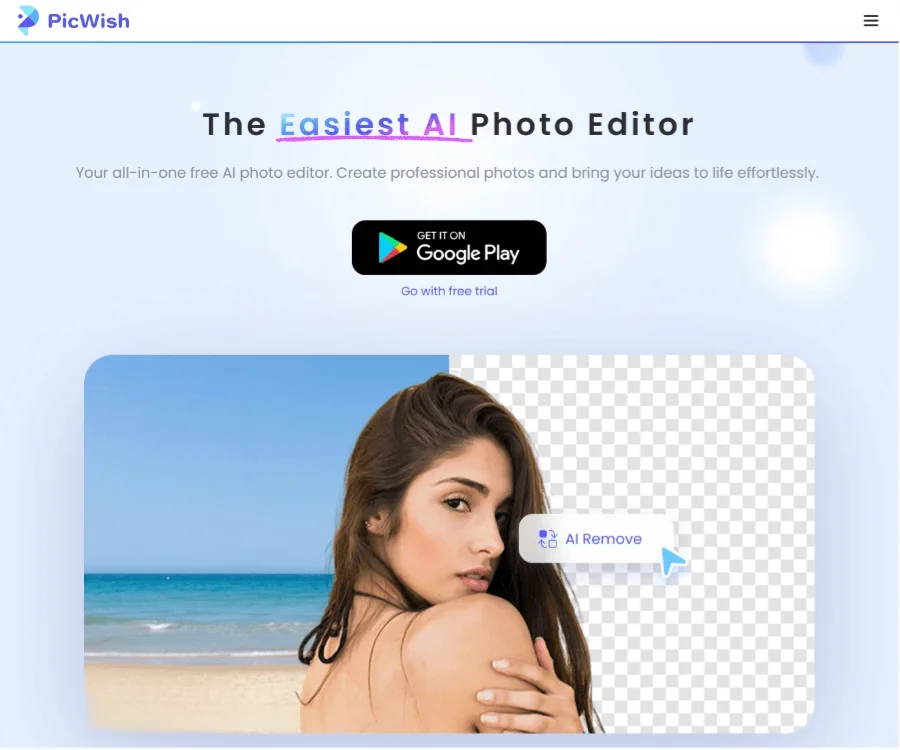
AI Background Removal
- Automatically identifies the image subject and removes the background
- Suitable for scenarios such as product images, portraits, and cutout materials
- Supports detail processing, such as complex edge areas
-
Image Enhancement and Sharpening
- Can be used for blurry photo restoration, sharpening, and resolution enhancement
- Suitable for low-resolution image optimization, product image improvement, and old image restoration
-
Batch Processing
- Supports processing multiple images at once
- Information on the official website shows that background removal can process up to 30 files at the same time, making it suitable for high-frequency photo editing needs
-
AI Erasing and Object Removal
- Can remove watermarks, text, or unwanted elements from images
- Suitable for cleaning background distractions and optimizing visual effects
-
ID Photo Creation
- Automatically identifies the portrait subject
- Supports common ID photo sizes and background color switching
-
Old Photo Restoration and Colorization of Black-and-White Photos
- Can be used for old photo enhancement, sharpening, and color restoration
- Suitable for family photo retouching and historical image restoration
-
Image Upscaling and Format Processing
- Supports lossless image upscaling
- Also has certain image format conversion capabilities
-
AI Design Editing
- The official website provides natural language-based AI design editing capabilities
- Users can complete image modifications and creative design in a more intuitive way
Pricing
According to the currently visible information on the official website, PicWish offers a free online trial, and some features can be experienced directly on the web.
However, the content captured from the official website does not clearly show complete subscription pricing, plan differences, or feature limitations. If you need to know the latest billing methods, it is recommended to visit the official pricing page directly or log in to view specific benefits.
Frequently Asked Questions
Who is PicWish suitable for?
It is suitable for e-commerce sellers, content creators, self-media operators, design beginners, and ordinary users with everyday needs such as ID photos, photo beautification, and background removal.
Can PicWish only be used online?
No. In addition to the web version, PicWish also provides Android, iOS, Windows, and Mac clients, making it convenient to process images on different devices.
What are PicWish's core advantages?
Its advantages lie in its low operational barrier. Many functions can be completed with one click after uploading an image, making it especially suitable for quickly handling background removal, sharpening, and batch photo editing tasks.
Does PicWish support batch photo editing?
Yes. Public information shows that it has batch processing capabilities, making it especially suitable for highly repetitive image editing scenarios such as e-commerce product images.
Related Tools
View allHayo is an all-in-one tool that brings together multiple AI capabilities, covering areas such as AI art and information, making it convenient for users to experience various AI application capabilities including generation, browsing, sharing, and expression through a single entry point.
Openart is a creative platform that aggregates AI artwork and prompts, featuring a large collection of images generated by models such as DALL·E 2, Midjourney, and Stable Diffusion, and provides AI image generation functions.
Lucidpic is an AI virtual human photo generation tool that can quickly create high-quality portrait stock images and supports adjusting appearance elements such as clothing, hairstyle, style, and age.
Pixian is an AI image background removal tool that supports free, high-resolution processing and can be used without registration, making it suitable for quickly completing cutouts and image background removal.
PimEyes is a facial recognition reverse search engine that can use a photo to find images of similar faces appearing on the internet, and help users learn which websites their photos may have been published on.
ArtHub is a creative community that aggregates AI-generated artworks and prompts, where users can browse, upload, and share AI-generated images, design works, and related creative inspiration.