
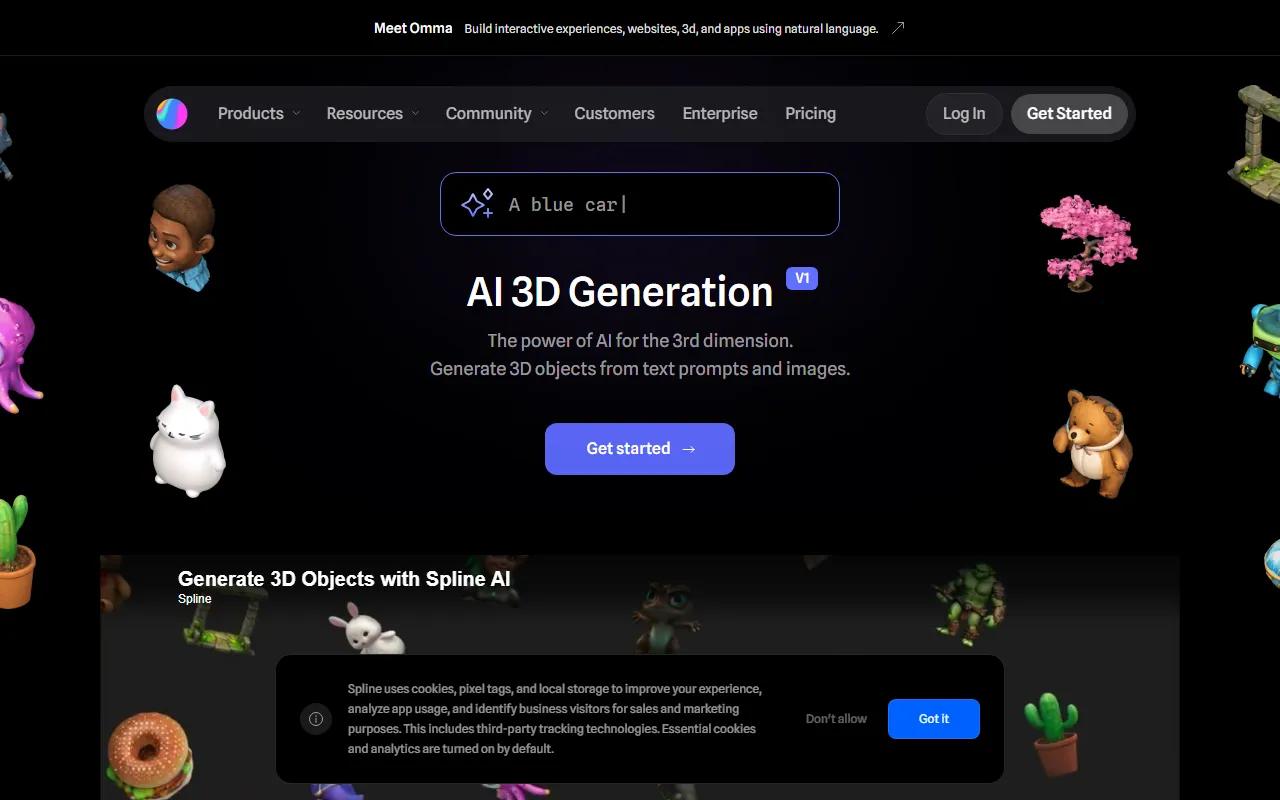
Spline AI
Image & DesignSpline is a free browser-based online 3D editor. Based on AI generation technology from Stable Diffusion v2, the site launched Spline AI, an AI 3D design tool that allows users to enter text to automatically create and generate 3D objects, animations, materials, and more, helping accelerate the design speed of 3D designers.
About
Overview
Spline AI is an AI 3D generation tool launched by Spline, and is a browser-based extension of online 3D design capabilities. It combines text generation and image generation technologies, supporting users in quickly generating 3D mesh models through Text to 3D and Image to 3D, thereby lowering the barrier to 3D content creation.
Compared with traditional 3D modeling workflows, Spline AI is more suitable for inspiration exploration, concept validation, and quickly producing basic 3D assets. Users do not need complex modeling experience; with simple prompts or reference images, they can obtain editable 3D results in a relatively short time, and can continue completing scene building and subsequent adjustments in the Spline editor.
Key Features
-
Text to 3D
- Enter natural language prompts to generate 3D objects.
- The official page shows that multiple candidate variants can be generated each time, making it easy to quickly choose a direction.
-
Image to 3D
- Supports influencing generation results through 2D front-view images and converting them into 3D models.
- Suitable for quickly extending flat reference images into 3D assets.
-
Remix and Variant Generation
- You can continue remixing based on previously generated results to create new versions.
- Convenient for iterating around the same idea without having to start from scratch each time.
-
Integrated Workflow
- You can focus on generating and managing 3D assets in the Dashboard.
- You can also directly call AI generation features in the Spline Editor while building scenes.
-
Suitable for Beginners
- The official site emphasizes that no modeling experience is required to get started.
- It is relatively friendly for designers, creative workers, and teams that need rapid prototyping.
-
Quickly Build a 3D Asset Library
- Generated models can gradually accumulate into a personal or project-specific 3D material library.
- Applicable to scenarios such as visual concepts, character prototypes, props, and decorations.
Pricing
The currently available information does not clearly show Spline AI's detailed pricing plans.
Spline itself is known for its online editor, and some features may offer a free trial experience, but for the available quota, payment threshold, or plan contents of the AI 3D generation feature, it is recommended to refer to the latest explanation on the official website:
- Official website: https://spline.design/ai
FAQ
Who is Spline AI suitable for?
It is suitable for 3D designers, UI/UX designers, creative developers, independent creators, and teams hoping to quickly complete 3D concept validation.
Does Spline AI require download and installation?
No. Spline itself is a browser-based online tool and can be used directly through the web page.
What can Spline AI generate?
According to the official website, it can mainly generate 3D mesh objects, and supports generating objects and their variants through text or image input.
Is 3D modeling experience required?
Not necessarily. The official site emphasizes that its workflow is intuitive and beginner-friendly, and you can start trying it even without modeling experience.
Can the generated content continue to be edited?
Yes. Spline AI is integrated with the Spline editor, making it suitable for continuing to place generated content into scenes for editing and adjustment.
Related Tools
View allHayo is an all-in-one tool that brings together multiple AI capabilities, covering areas such as AI art and information, making it convenient for users to experience various AI application capabilities including generation, browsing, sharing, and expression through a single entry point.
Openart is a creative platform that aggregates AI artwork and prompts, featuring a large collection of images generated by models such as DALL·E 2, Midjourney, and Stable Diffusion, and provides AI image generation functions.
Lucidpic is an AI virtual human photo generation tool that can quickly create high-quality portrait stock images and supports adjusting appearance elements such as clothing, hairstyle, style, and age.
Pixian is an AI image background removal tool that supports free, high-resolution processing and can be used without registration, making it suitable for quickly completing cutouts and image background removal.
PimEyes is a facial recognition reverse search engine that can use a photo to find images of similar faces appearing on the internet, and help users learn which websites their photos may have been published on.
ArtHub is a creative community that aggregates AI-generated artworks and prompts, where users can browse, upload, and share AI-generated images, design works, and related creative inspiration.