
Upscale.media
Image & DesignUpscale.media is an AI image upscaling and enhancement tool that can increase images to 2x or 4x resolution while preserving original details and textures as much as possible, making it suitable for individuals and businesses handling low-resolution images.
About
Overview
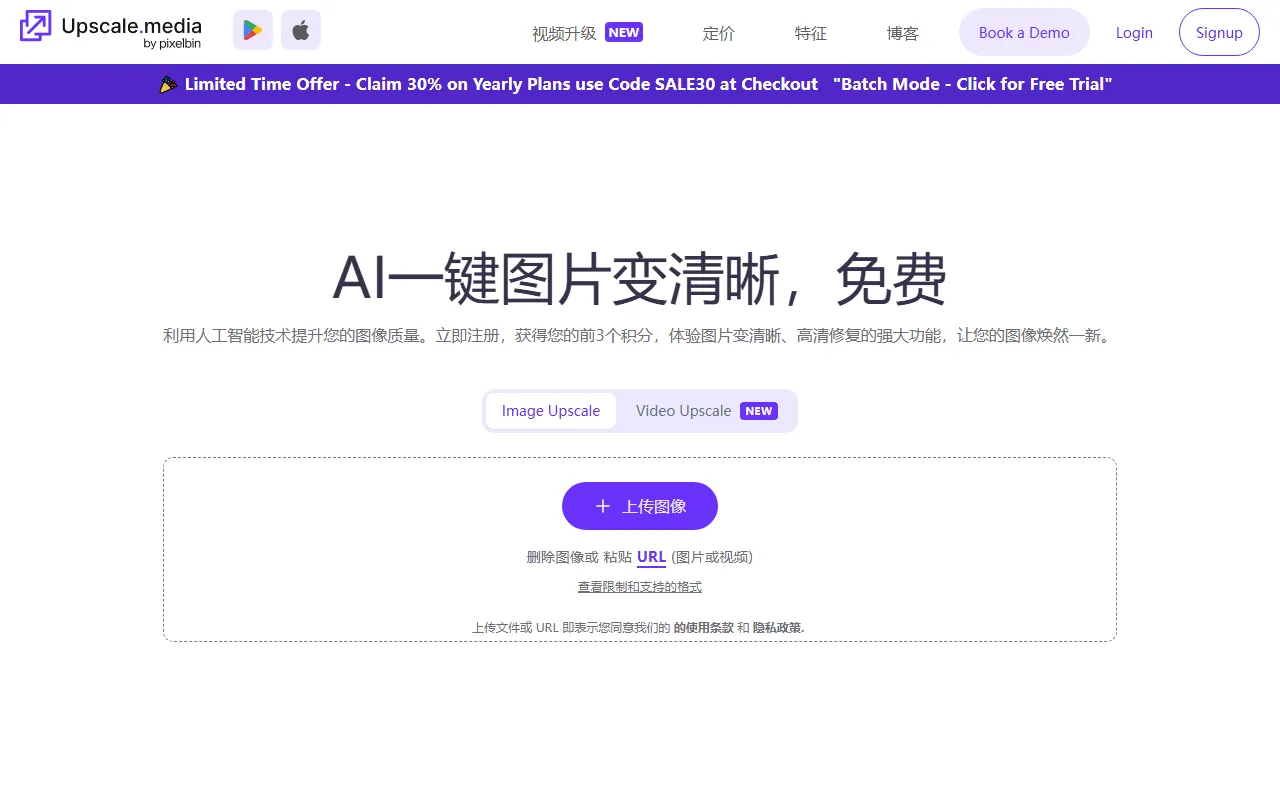
Upscale.media is an AI image upscaling and enhancement tool for individual and business users, mainly used to improve the clarity and usability of low-resolution images. Users only need to upload an image, and can use AI super-resolution technology to enlarge the image to 2x or 4x, while preserving the original textures, edges, and details as much as possible, reducing common issues after enlargement such as blur, jagged edges, and distortion.
It is suitable for old photo restoration, social media asset optimization, e-commerce product image clarification, and image enhancement in everyday design work. According to the official website, the platform also provides a variety of related image optimization capabilities, such as sharpening, deblurring, dehazing, portrait enhancement, and more, suitable for further improving image appearance in different scenarios.
Main Features
-
AI image upscaling
- Supports enlarging images to 2x or 4x
- Preserves natural textures and details as much as possible while increasing resolution
-
Image enhancement processing
- Can be used to improve the overall appearance of low-resolution images
- Suitable for repairing images with obvious pixelation and compression artifacts
-
Multiple auxiliary optimization tools
- Sharpen Image: enhances edge definition for a clearer image
- Deblur Image: reduces blur and restores image sharpness
- Dehaze Image: removes haze and improves contrast
- Remove Motion Blur: fixes motion blur
- Restore Image: restores old or damaged photos
- Colourise Image: adds color to black-and-white or faded photos
- Enhance Face / Face Restoration: optimizes facial details in portraits
-
Supports multiple formats
- Image formats:
png,jpeg,jpg,webp,heic - Video formats:
mp4,mov,webm
- Image formats:
-
Supports image and video uploads
- In addition to static images, the official website also shows a video upscaling entry
- Supports uploading files or pasting a URL for processing
-
Wide range of application scenarios
- Old photo restoration
- E-commerce product image optimization
- Social media content creation
- Clarifying everyday design assets
- Improving image resolution before printing
Pricing
The official website currently shows that a free AI Image Upscaler is available.
From the public page, free use is subject to resolution and scaling limits, and the limits differ depending on login status. For example:
- 1X
- Logged-in users: up to 20,000 × 20,000 px
- Visitors: up to 10,000 × 10,000 px
- 2X
- Logged-in users: up to 10,000 × 10,000 px
- Visitors: up to 5,000 × 5,000 px
- 4X
- Logged-in users: up to 5,000 × 5,000 px
- Visitors: up to 2,500 × 2,500 px
- 8X
- Logged-in users: up to 2,500 × 2,500 px
- Visitors: up to 1,250 × 1,250 px
In addition, the official website summary mentions that videos are supported for up to 1 minute. For more detailed paid plans, enterprise plans, or usage quotas, please refer to the latest page on the official website.
Frequently Asked Questions
-
What can Upscale.media do?
It is mainly used to enlarge low-resolution images and improve clarity, texture performance, and visual quality through AI. -
How much can it upscale?
Existing public introductions mainly mention 2x and 4x upscaling; the official website summary also includes 8X limit information, and the actual available scaling factors are subject to the current page. -
Which image formats are supported?
Supportspng,jpeg,jpg,webp,heic. -
Does it support video?
The official website shows a Video Upscale entry, and notes support formp4,mov,webm, up to 1 minute. -
Who is it suitable for?
Suitable for individual users, designers, e-commerce operators, content creators, and enterprise teams that need to optimize image clarity in batches.
Related Tools
View allHayo is an all-in-one tool that brings together multiple AI capabilities, covering areas such as AI art and information, making it convenient for users to experience various AI application capabilities including generation, browsing, sharing, and expression through a single entry point.
Openart is a creative platform that aggregates AI artwork and prompts, featuring a large collection of images generated by models such as DALL·E 2, Midjourney, and Stable Diffusion, and provides AI image generation functions.
Lucidpic is an AI virtual human photo generation tool that can quickly create high-quality portrait stock images and supports adjusting appearance elements such as clothing, hairstyle, style, and age.
Pixian is an AI image background removal tool that supports free, high-resolution processing and can be used without registration, making it suitable for quickly completing cutouts and image background removal.
PimEyes is a facial recognition reverse search engine that can use a photo to find images of similar faces appearing on the internet, and help users learn which websites their photos may have been published on.
ArtHub is a creative community that aggregates AI-generated artworks and prompts, where users can browse, upload, and share AI-generated images, design works, and related creative inspiration.