
Wisecut
Image & DesignWisecut is an online AI video editing tool that uses speech recognition to automatically process video content, remove pauses, generate subtitles, and add background music. It is suitable for quickly organizing talking-head, interview, and podcast videos.
About
Overview
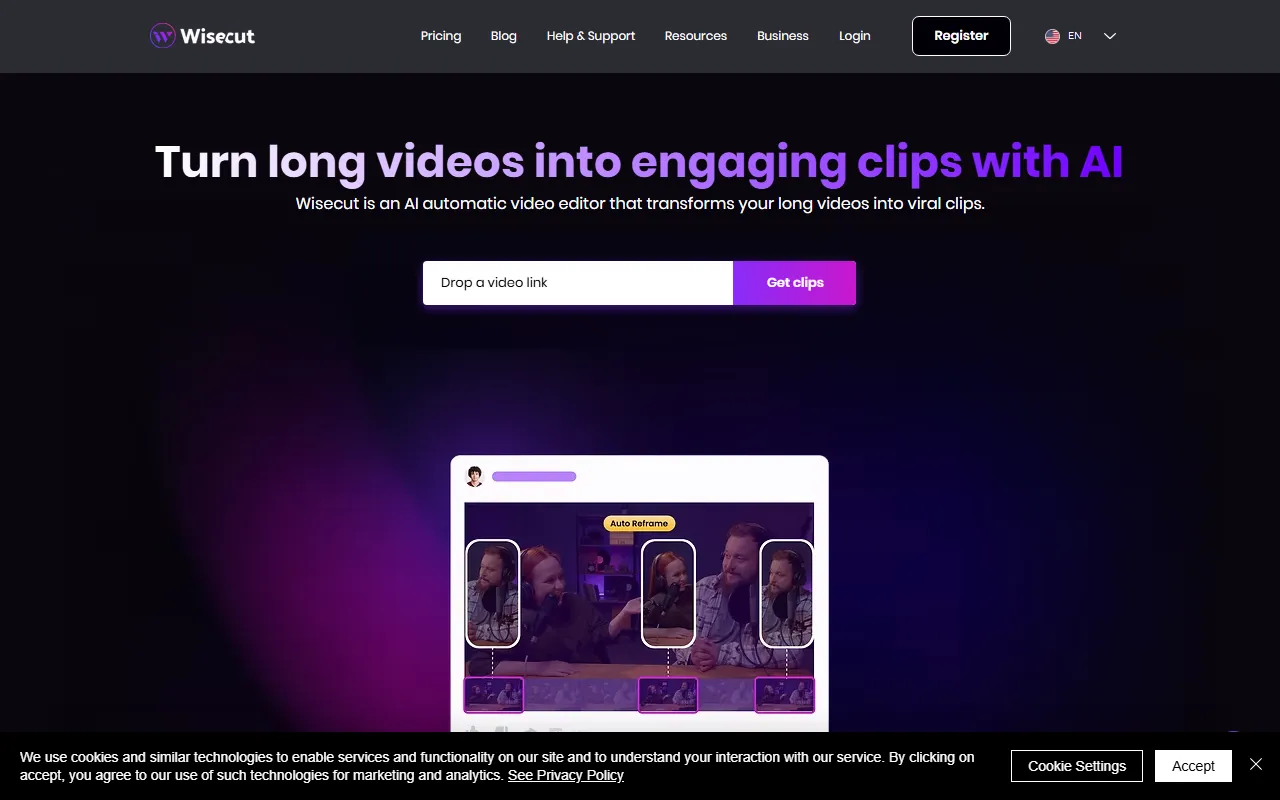
Wisecut is an online AI video editing tool for content creators, focused on solving repetitive editing work in talking-head videos, interviews, course recordings, and podcast videos. Through speech recognition and rhythm analysis, it helps users automatically process long videos and organize content into more compact short-form clips that are better suited for distribution.
According to information on the official website, Wisecut’s core direction is to quickly convert long videos into short video clips suitable for Instagram Reels, YouTube Shorts, and TikTok. For individual creators, media teams, and operations staff who need to produce short content at high frequency, it is better suited for work such as “improving the efficiency of basic editing” rather than complex professional film and video post-production.
Main Features
-
Long Video to Short Video
- It can automatically organize longer video content into more concise short clips, suitable for redistribution on short video platforms.
-
AI Highlight Clip Detection
- The official website mentions that AI can be used to identify clips with greater viral potential from footage, helping users more quickly find key content worth keeping.
-
Automatic Removal of Pauses and Silence
- It can identify silent sections or obvious pauses in videos and automatically remove them, reducing the amount of manual clip-by-clip editing work.
-
Speech-Based Rhythm Optimization
- It combines spoken content for jump cuts and rhythm adjustments, making talking-head and interview videos more compact and natural in the final cut.
-
Automatic Subtitle Generation
- It supports automatically adding subtitles to videos, making it suitable for the rapid publishing of knowledge-sharing, commentary, interview, and podcast content.
-
Automatic Background Music Addition
- It can add background music to videos to improve the basic viewing experience and content completeness.
-
Suitable for Multiple Content Production Scenarios
- Including short video editing, interview organization, online course recording, and turning podcasts into video.
Pricing
The currently provided scraped content does not show clear pricing information. For Wisecut’s specific plans, free quota, or subscription methods, it is recommended to refer to the latest information on the official pricing page:
- Official website: https://www.wisecut.video
FAQ
What types of videos is Wisecut suitable for?
It is more suitable for videos centered on spoken content, such as talking-head videos, interviews, course recordings, and podcasts. These types of material usually contain many pauses, repeated expressions, or lengthy segments, making them suitable for completing basic editing first through automation.
What is Wisecut’s core advantage?
Its core advantage lies in automation-driven efficiency improvement. It can help users quickly complete tasks such as removing silence, generating subtitles, basic rhythm adjustment, and splitting long videos into clips, reducing repetitive labor.
Can Wisecut replace professional video editing software?
It is more suitable as a tool for rapid production and preliminary organization, especially for scenarios involving batch output of short-form content. If complex effects, precise color grading, advanced multi-track editing, and other professional post-production operations are needed, professional editing software is usually still required.
Is Wisecut suitable for distribution on short video platforms?
Yes. According to the official website description, Wisecut focuses on supporting the conversion of long videos into short video content suitable for distribution on platforms such as Instagram Reels, YouTube Shorts, and TikTok.
Related Tools
View allHayo is an all-in-one tool that brings together multiple AI capabilities, covering areas such as AI art and information, making it convenient for users to experience various AI application capabilities including generation, browsing, sharing, and expression through a single entry point.
Openart is a creative platform that aggregates AI artwork and prompts, featuring a large collection of images generated by models such as DALL·E 2, Midjourney, and Stable Diffusion, and provides AI image generation functions.
Lucidpic is an AI virtual human photo generation tool that can quickly create high-quality portrait stock images and supports adjusting appearance elements such as clothing, hairstyle, style, and age.
Pixian is an AI image background removal tool that supports free, high-resolution processing and can be used without registration, making it suitable for quickly completing cutouts and image background removal.
PimEyes is a facial recognition reverse search engine that can use a photo to find images of similar faces appearing on the internet, and help users learn which websites their photos may have been published on.
ArtHub is a creative community that aggregates AI-generated artworks and prompts, where users can browse, upload, and share AI-generated images, design works, and related creative inspiration.