
Gradio
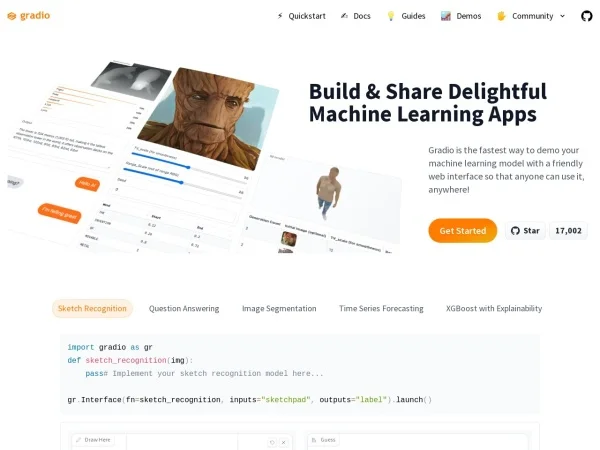
DevelopmentGradio is a lightweight Python library for quickly creating interactive web interfaces for machine learning models. Developers can use it to showcase, test, and share models, and it can also be embedded in Notebooks.
About
Overview
Gradio is an open-source Python library mainly used to quickly build interactive web interfaces for machine learning models and data science workflows. Developers usually need only a small amount of Python code to wrap inputs and outputs such as text, images, and audio into browser-accessible applications for demonstrating, testing, validating, and sharing model capabilities.
Its core characteristics are a fast learning curve and a low development barrier, without requiring developers to have frontend development experience. For scenarios that require quickly creating model demos, validating results within teams, demonstrating AI capabilities in teaching, or sharing experimental results for others to try, Gradio is a relatively common choice. The official website also emphasizes that it can be used for building machine learning applications from prototype validation to deployable products.
Main Features
-
Quickly create machine learning web interfaces
- Can directly wrap model functions in Python into browser interfaces
- Supports quickly generating interactive input and output pages
-
Supports components for multiple data types
- Can handle common AI application input and output formats such as text, images, audio, and tables
- Suitable for showcasing models in NLP, computer vision, speech, and more
-
Suitable for prototyping and model demonstrations
- A demo can be built with relatively little code
- Convenient for showing model results to team members, clients, students, or partners
-
Can be embedded in Notebooks
- Supports directly running and displaying interactive interfaces in Python Notebook environments
- Convenient for instant demonstrations during research, experimentation, and teaching
-
Convenient for testing and sharing
- Can quickly publish local model interfaces as accessible web applications
- Helps collect trial feedback and conduct internal validation and model debugging
-
Relatively low development barrier
- Simple installation and startup process
- Usually no need to separately write JavaScript, CSS, or complex frontend logic
Pricing
Based on currently available information, Gradio is provided as an open-source Python library that can be installed and used directly in a Python environment. The official website focuses on its development and deployment capabilities, but the currently available content does not explicitly list detailed commercial pricing plans for individuals or teams.
If you are concerned about enterprise deployment, hosting services, or advanced feature costs, it is recommended to visit the official website for the latest information.
FAQ
Who is Gradio suitable for?
It is mainly suitable for machine learning developers, researchers, data science practitioners, as well as teaching or product teams that need to quickly demonstrate AI model results.
Does using Gradio require frontend development experience?
Usually not. Gradio is positioned to let developers quickly generate interactive web interfaces through Python, reducing the frontend development burden.
What are the common use cases for Gradio?
- Model demo showcases
- Internal team testing and validation
- Interactive experiments in Notebooks
- Teaching demonstrations
- Sharing experimental results or prototype applications externally
Can Gradio be used for formal products?
Based on information from the official website, Gradio is not only suitable for rapid prototyping, but also supports building deployable machine learning applications. However, whether it is suitable as a formal production environment solution still needs to be evaluated comprehensively based on your deployment method, performance requirements, and system architecture.
Related Tools
View allLiner.ai is a tool that lets users build and deploy machine learning models without programming, suitable for users without a machine learning background to quickly turn training data into integrable models.
Pico is a GPT-4-based text-to-app tool that lets users quickly create simple web applications by describing their needs in natural language, making it suitable for people who have product ideas but do not have programming skills.
Imagica is a no-code AI application development platform that supports users in building AI applications without writing code, and combines real-time data with multimodal capabilities to complete interactive product design.
WidgetsAI is a no-code widget platform for building AI applications, supporting the creation, embedding, and white-labeling of AI components, suitable for teams or individuals who want to quickly integrate AI capabilities without programming.
ComfyUI is a modular graphical interface tool for Stable Diffusion that uses a node-based workflow design, making it easier for users to control the image generation process in greater detail.
Lightning AI is a development framework for building and deploying models and full-stack AI applications, providing capabilities such as training, serving, and hyperparameter optimization to help developers reduce infrastructure configuration work.