
Imgcook
Development"Image Chef Imgcook" is a platform launched by Alibaba - Taobao Technology - the Shopping Guide and Marketing Product Team for intelligently generating frontend code (D2C, Design to Code) from design drafts, focusing on using visual drafts in forms such as Sketch, PSD, and static images as input, and generating maintainable frontend code with one click through intelligent technology, including view code, data field binding, component code, and some business logic code.
About
Overview
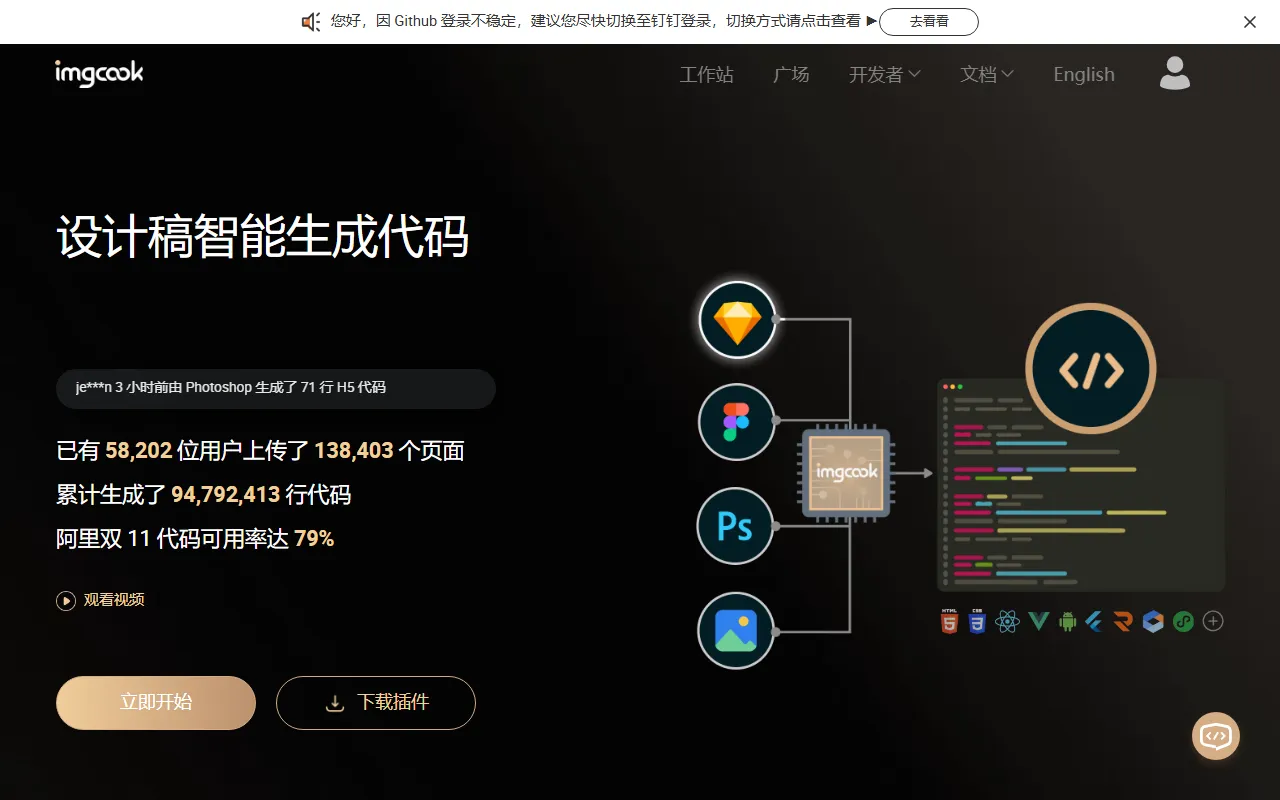
Imgcook (Image Chef) is a Design to Code (D2C) tool launched by Alibaba, aimed at frontend development and design collaboration scenarios, supporting the intelligent restoration of design drafts such as Sketch, PSD, Figma, and static images into frontend code.
Its core goal is to help teams shorten the conversion process from design drafts to maintainable code, and improve the efficiency of page building and module development.
Unlike simple image-slicing tools, Imgcook can not only generate view structure code, but also supports to a certain extent data field binding, component generation, style adjustment, and partial business logic orchestration, making it more suitable for highly standardized development tasks such as campaign pages and mobile page modules.
Main Features
-
One-click restoration of design drafts into code
- Supports parsing design draft content such as Sketch, PSD, and images through plugins or import methods
- Can restore layer information into the visual editor, and then further generate code
-
Visual editing capabilities
- Adjust layout, styles, and structure in the editor
- Supports setting loops, dynamic expression styles, etc.
- Supports field binding and partial logic configuration
-
Multiple code generation methods
- Officially provides common DSLs, which can be used to generate frontend code such as React, Vue, and Mini Programs
- Supports switching between different DSLs
- Custom DSL solutions are supported for special needs
-
Collaboration with plugins and development tools
- Can be used together with plugins such as Figma, Sketch, and VS Code
- Supports exporting layer information from design tools and pasting it into the editor for restoration
- Supports exporting generated module code to a local directory for continued development in projects
-
Suitable for page and module restoration scenarios
- More suitable for fine-grained mobile module development
- Suitable for mobile campaign pages and some full-page development
- Can be used for some PC-side ToC page scenarios
- Support is relatively limited for highly complex rich interactive applications or game scenarios
Pricing
According to public information, Imgcook is currently free to use.
Users can convert design drafts into code through the Figma, Sketch, VS Code, and other plugins it provides without additional payment. For actual features and availability, it is recommended to refer to the latest explanation on the official website.
FAQ
What input formats does Imgcook support?
Currently available public information shows that Imgcook supports design draft input in forms such as Sketch, PSD, Figma, and static images, with specific methods including plugin export and editor import.
What code can Imgcook generate?
Imgcook can generate frontend page or module code, commonly including code corresponding to DSLs such as React, Vue, and Mini Programs, and may also include view structure, styles, field binding, and some logic code.
What scenarios is Imgcook suitable for?
It is more suitable for scenarios such as mobile module development, campaign page building, and standardized page restoration. If a project includes a large amount of complex interactions, custom animations, or highly flexible logic, developers usually still need to make considerable secondary adjustments.
Can Imgcook completely replace frontend development?
No. Imgcook is more suitable as an efficiency tool to help complete design restoration and basic code generation, but in areas such as engineering integration, complex interactions, business logic refinement, and performance optimization, frontend developers still need to continue handling them.
Related Tools
View allLiner.ai is a tool that lets users build and deploy machine learning models without programming, suitable for users without a machine learning background to quickly turn training data into integrable models.
Pico is a GPT-4-based text-to-app tool that lets users quickly create simple web applications by describing their needs in natural language, making it suitable for people who have product ideas but do not have programming skills.
Imagica is a no-code AI application development platform that supports users in building AI applications without writing code, and combines real-time data with multimodal capabilities to complete interactive product design.
WidgetsAI is a no-code widget platform for building AI applications, supporting the creation, embedding, and white-labeling of AI components, suitable for teams or individuals who want to quickly integrate AI capabilities without programming.
ComfyUI is a modular graphical interface tool for Stable Diffusion that uses a node-based workflow design, making it easier for users to control the image generation process in greater detail.
Lightning AI is a development framework for building and deploying models and full-stack AI applications, providing capabilities such as training, serving, and hyperparameter optimization to help developers reduce infrastructure configuration work.