
Warp
DevelopmentWarp is a modern development environment tool that improves development efficiency by integrating an AI assistant. It supports the full workflow from coding to production, helping developers save time. It generates code through natural language instructions and provides code review and optimization suggestions. From coding, review, and deployment to production monitoring, Warp covers the entire software lifecycle.
About
Overview
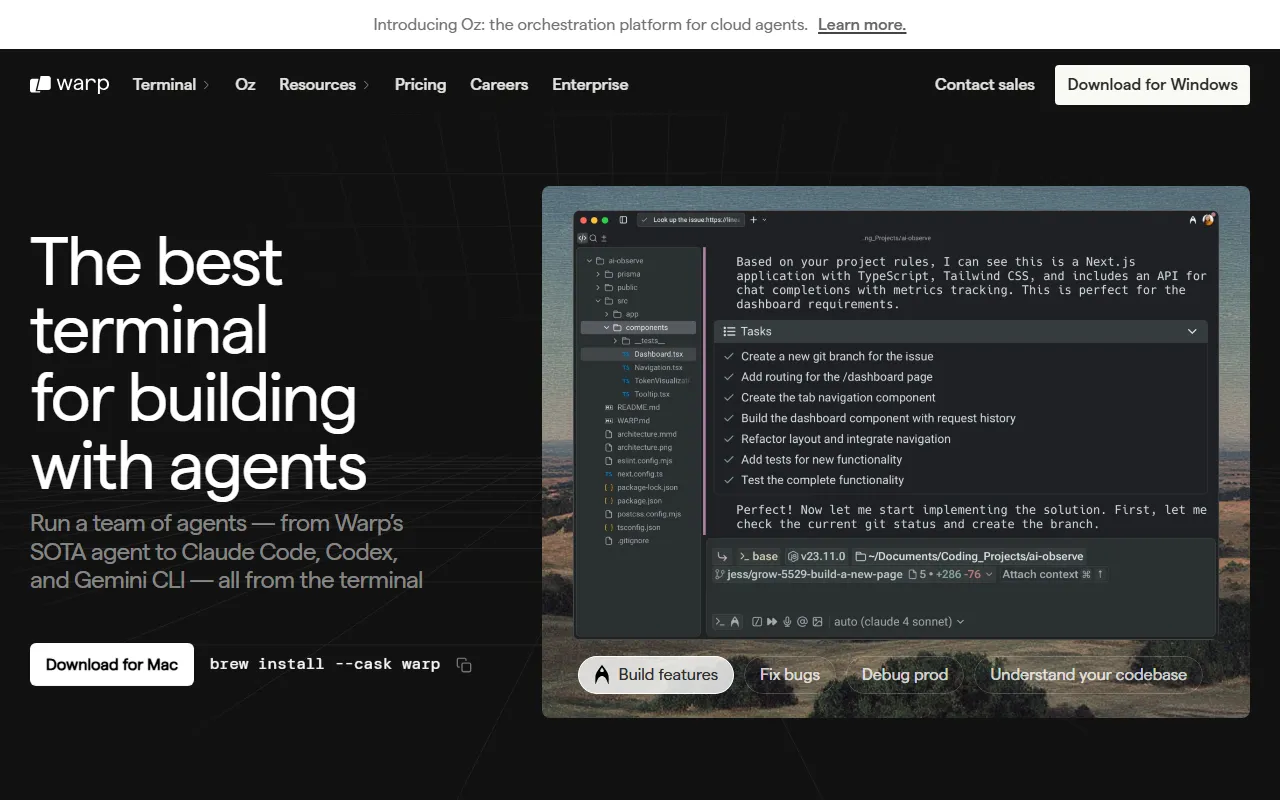
Warp is a modern terminal and AI development environment for developers, positioned on its official website as an Agentic Development Environment. It combines the traditional command line, AI assistant, workflow management, and team collaboration to help developers complete coding, debugging, command execution, and daily development tasks more efficiently.
Compared with traditional terminals, Warp's distinguishing feature is a more modern interactive experience: commands and outputs are organized in the form of “blocks,” making them easier to review, copy, and share; at the same time, it supports natural language input, command completion, and AI-assisted Q&A, lowering the barrier to using the command line. Information on the official website shows that Warp has already been used by a large number of developers and engineering teams, and supports major platforms such as macOS, Linux, and Windows.
Key Features
- Modern terminal experience: Uses a block-based input and output structure, making the result of each command execution clearer and making it easier to trace historical operations.
- Integrated AI assistant: Supports obtaining command suggestions, troubleshooting errors, and assisting with coding and debugging through natural language.
- Multiple usage modes: Provides Terminal, Agent Mode, Auto Detection, and other modes, balancing traditional command-line operations with AI-driven interaction.
- Intelligent command completion: Supports automatic command completion, parameter prompts, and history suggestions to improve terminal input efficiency.
- Workflow saving and reuse: Common command sequences can be saved as Workflows, making it convenient to repeatedly execute complex tasks.
- Team collaboration capabilities: Supports terminal content sharing and collaboration, suitable for remote development, demonstrations, and teaching scenarios.
- Context-aware capabilities: Combines codebase context and knowledge bases to provide developers with suggestions that better fit project scenarios.
- Enterprise-grade security options: Provides enterprise capabilities such as ZDR (Zero Data Retention), BYO LLM, and SAML single sign-on, making it suitable for teams with high security and compliance requirements.
- Cloud agent platform: The official website also presents the Oz platform for orchestration and management of cloud agents.
Pricing
The official website provides an entry to the Pricing page, but the currently provided materials do not include specific plan prices or feature tier information. It is recommended to visit the official website for the latest pricing and details of enterprise plans:
- Official website: https://www.warp.dev/
Frequently Asked Questions
Who is Warp suitable for?
Warp is suitable for software developers, DevOps/operations engineers, technical teams that frequently use terminals, and beginner users who want to improve command-line efficiency with AI.
Is Warp a traditional terminal or an AI programming tool?
Warp is essentially a modern terminal tool while also integrating AI capabilities. It can be used as a conventional terminal, and it can also complete natural language interaction, assisted coding, and command generation through Agent mode.
Which operating systems does Warp support?
According to the available materials, Warp supports macOS, Linux, and Windows.
Does Warp support team collaboration?
Yes. Warp provides terminal sharing, workflow synchronization, and collaboration and identity authentication capabilities for enterprise teams.
Does Warp focus on data security?
Yes. Warp provides options including Zero Data Retention (ZDR) and BYO LLM, which can meet some enterprises' requirements for privacy and data control.
Related Tools
View allLiner.ai is a tool that lets users build and deploy machine learning models without programming, suitable for users without a machine learning background to quickly turn training data into integrable models.
Pico is a GPT-4-based text-to-app tool that lets users quickly create simple web applications by describing their needs in natural language, making it suitable for people who have product ideas but do not have programming skills.
Imagica is a no-code AI application development platform that supports users in building AI applications without writing code, and combines real-time data with multimodal capabilities to complete interactive product design.
WidgetsAI is a no-code widget platform for building AI applications, supporting the creation, embedding, and white-labeling of AI components, suitable for teams or individuals who want to quickly integrate AI capabilities without programming.
ComfyUI is a modular graphical interface tool for Stable Diffusion that uses a node-based workflow design, making it easier for users to control the image generation process in greater detail.
Lightning AI is a development framework for building and deploying models and full-stack AI applications, providing capabilities such as training, serving, and hyperparameter optimization to help developers reduce infrastructure configuration work.